Enabling DDoS Protection for a Cloud Server
Steps to Enable DDoS Protection
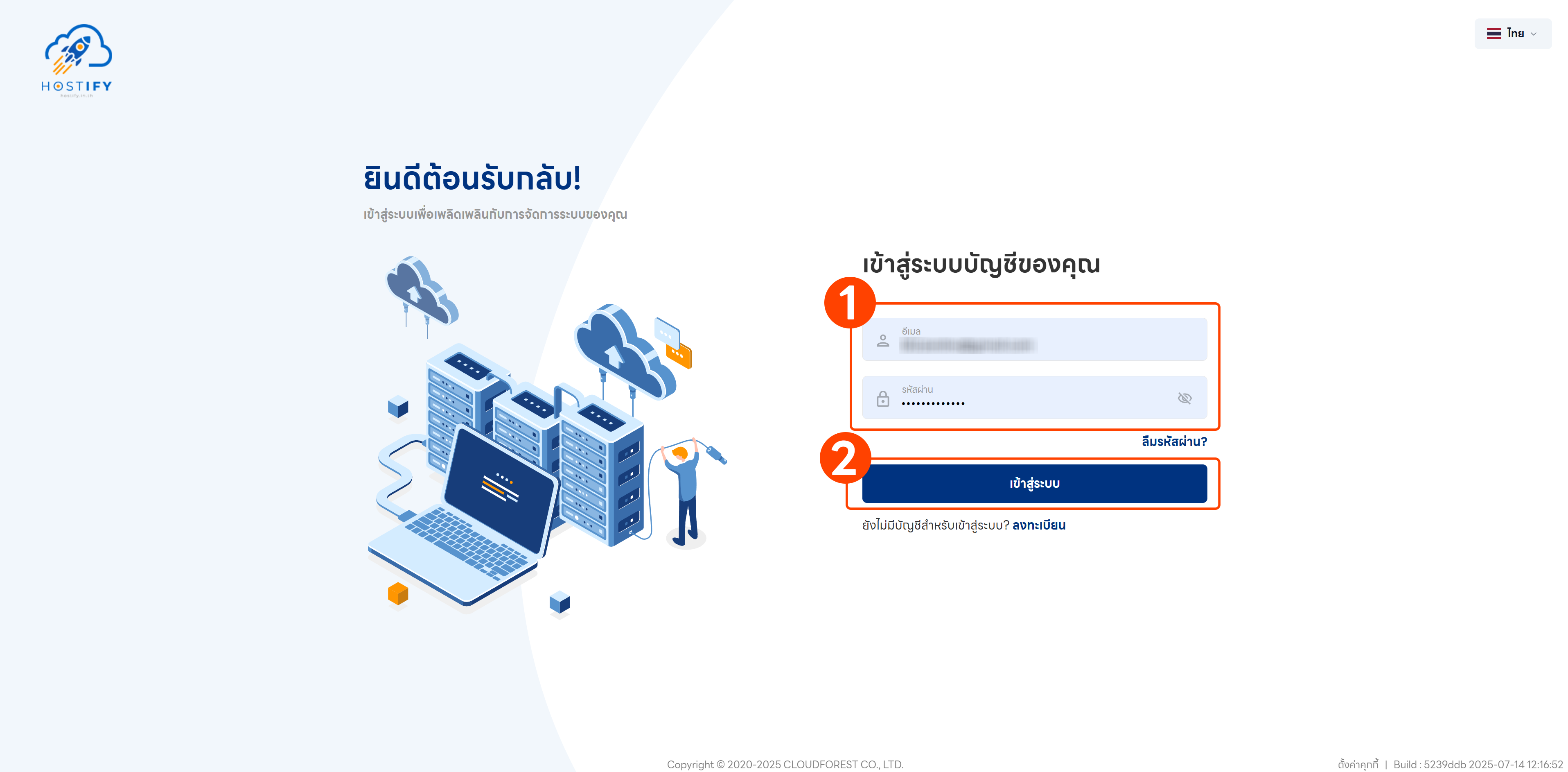
Section titled “Steps to Enable DDoS Protection”Step 1: Log in at fleet.hostify.in.th
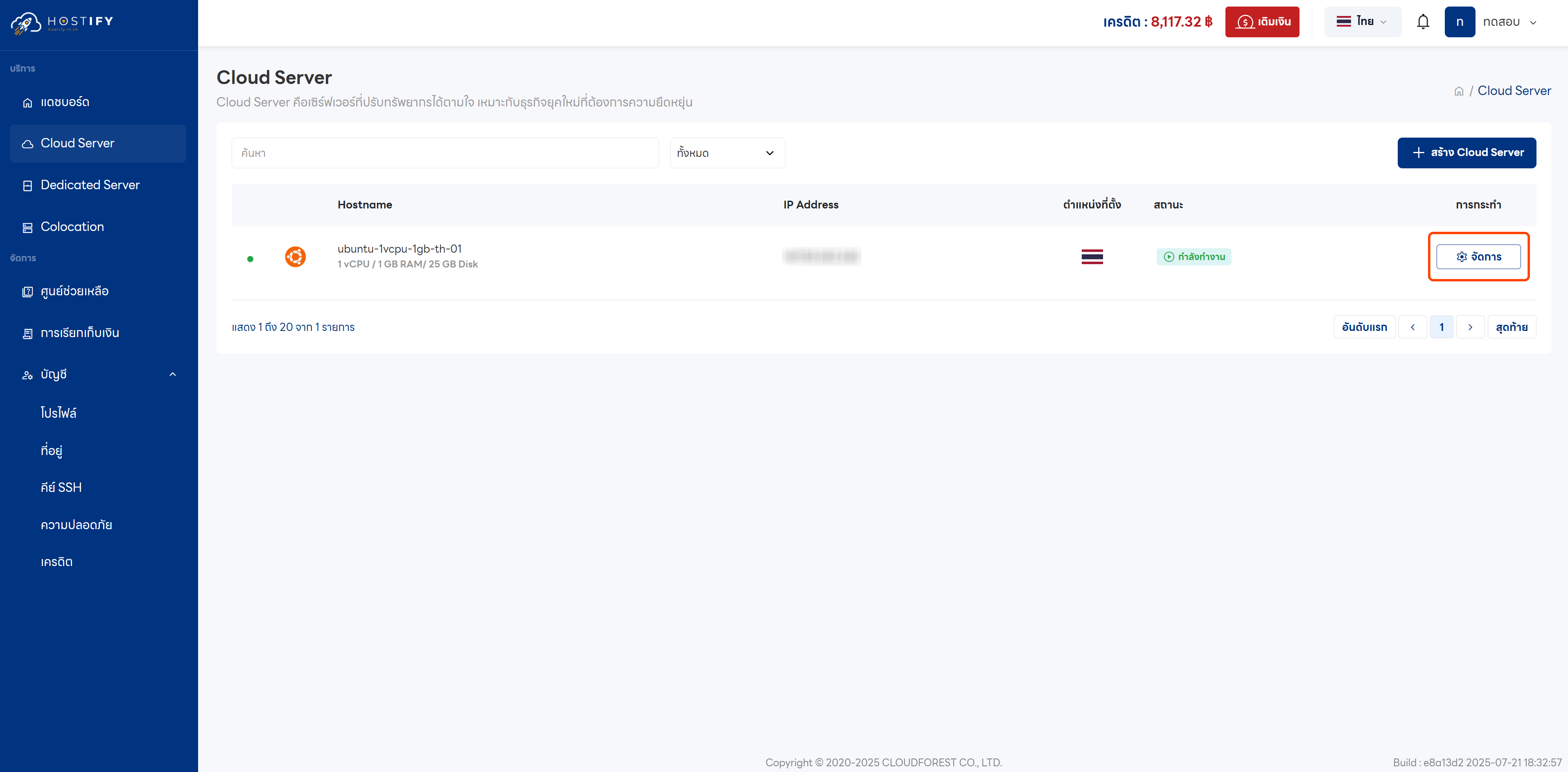
Step 2: Click “Manage” on the desired Cloud Server
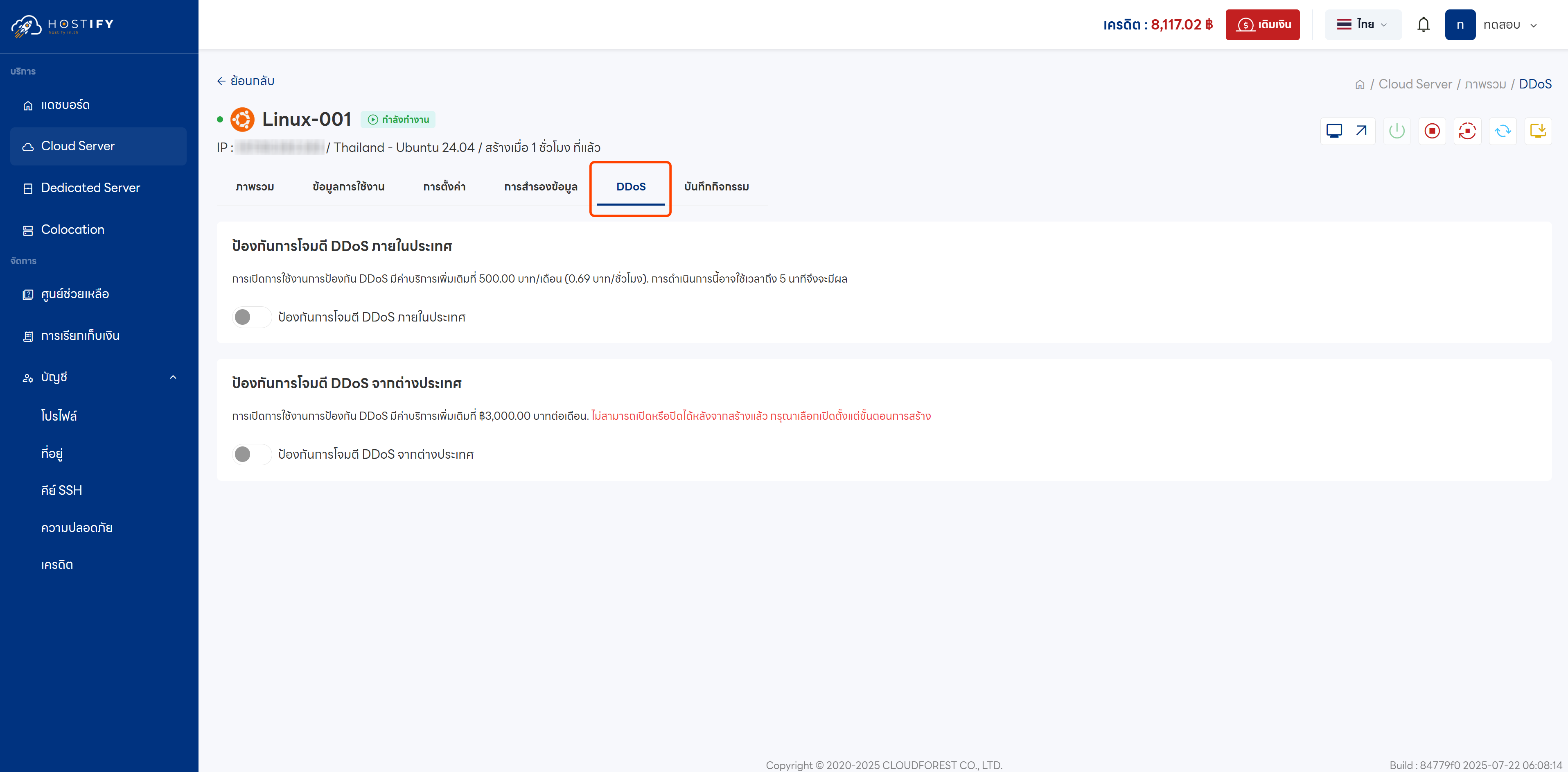
Step 3: Go to the DDoS tab to view DDoS Protection options
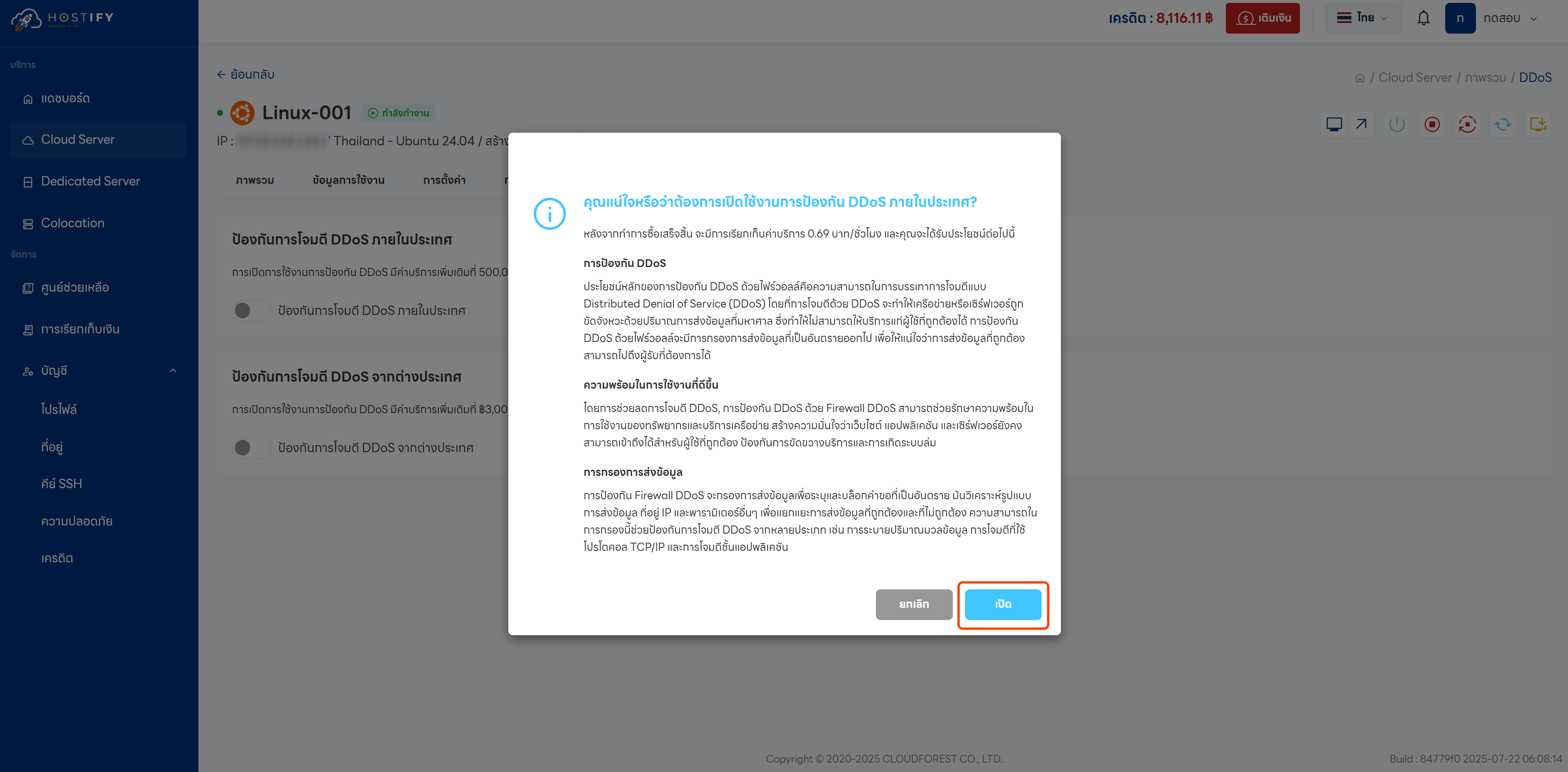
Step 4: Enable DDoS Protection and confirm the popup that appears
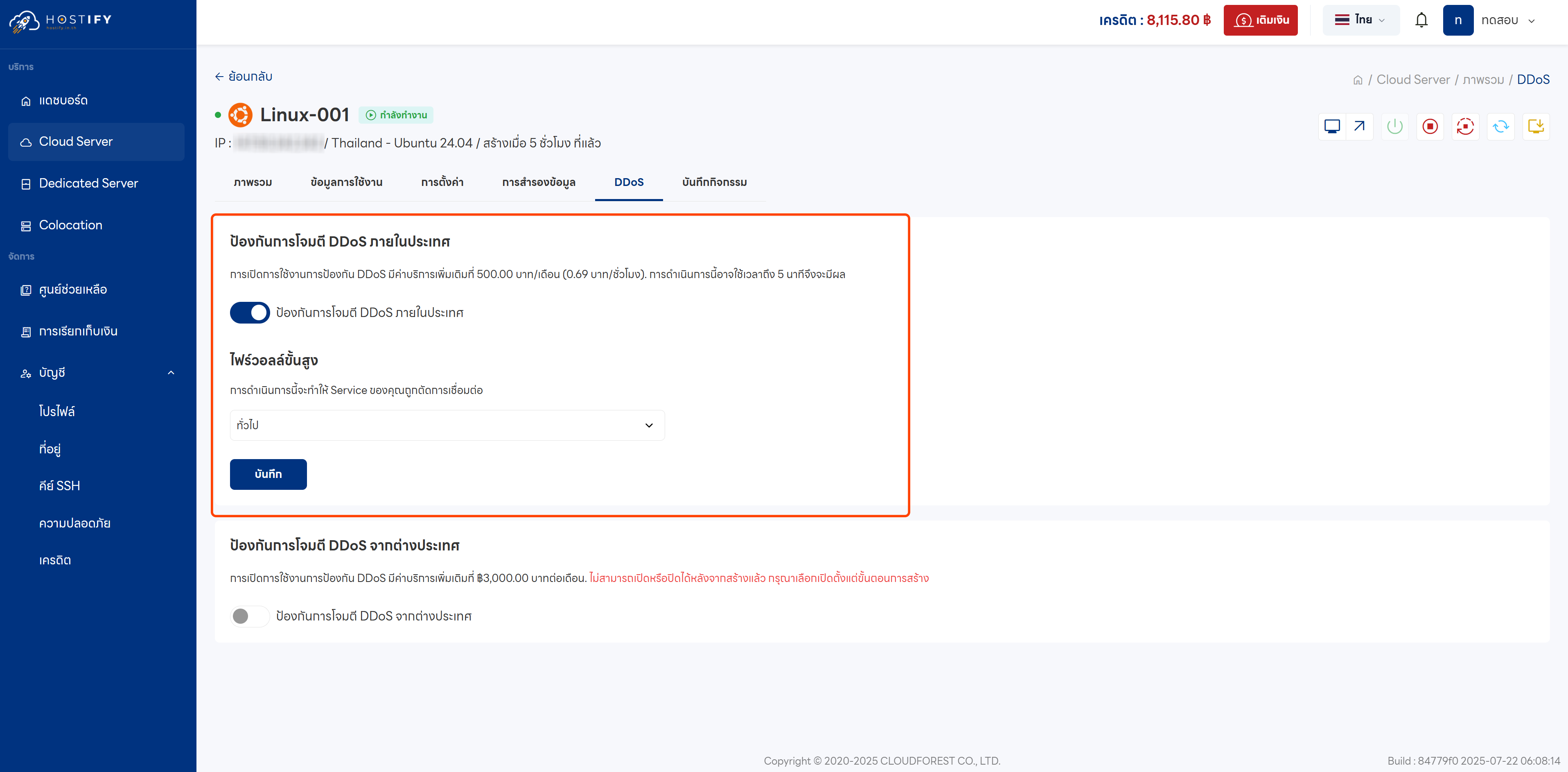
Step 5: The feature will be enabled, but the Advanced Firewall status will initially show as Disabled
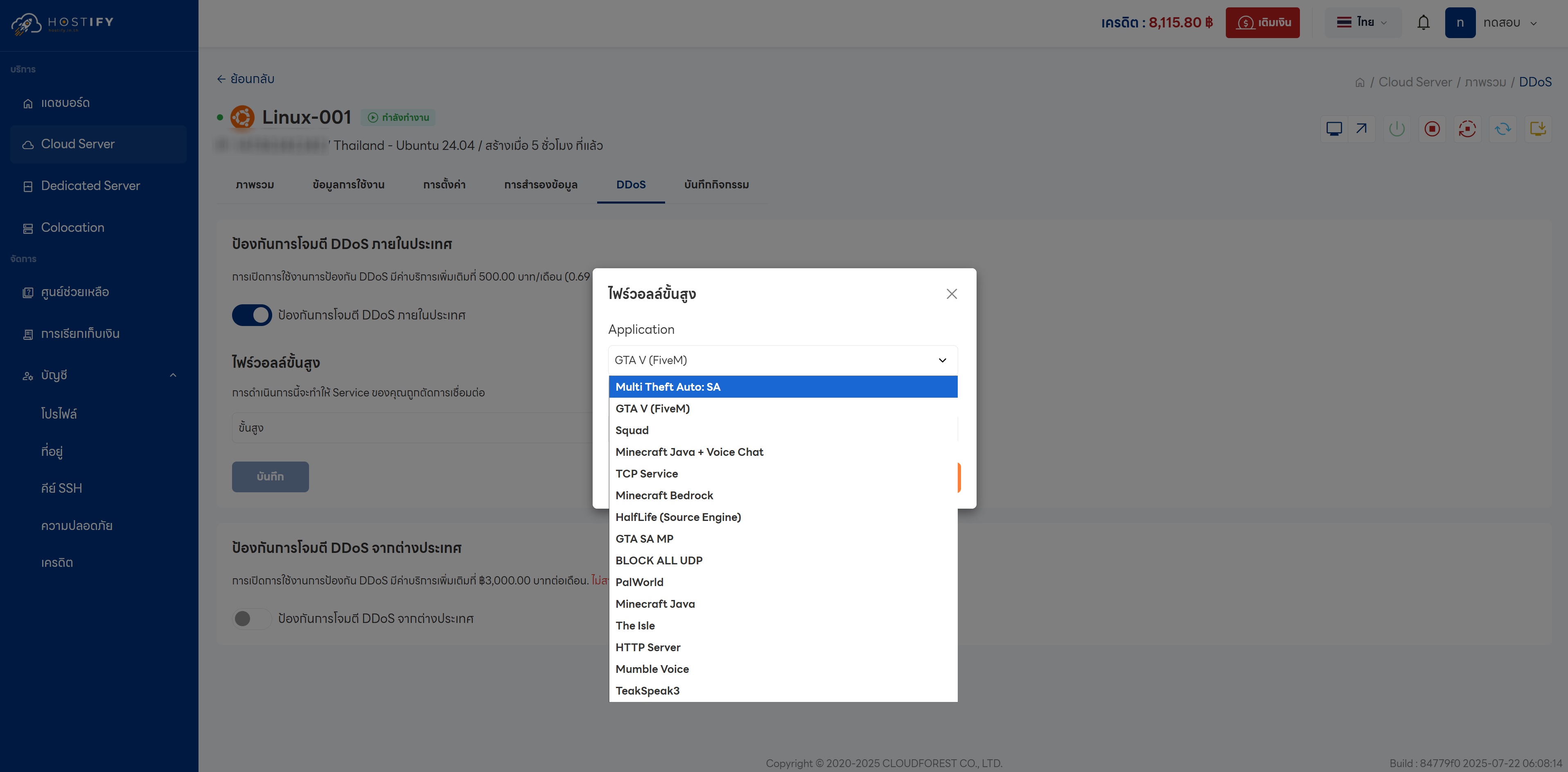
Step 6: Select a Firewall protection mode:
- General: Protects against DDoS by blocking traffic spikes from multiple sources
- Advanced: Application-level protection with more advanced learning capabilities
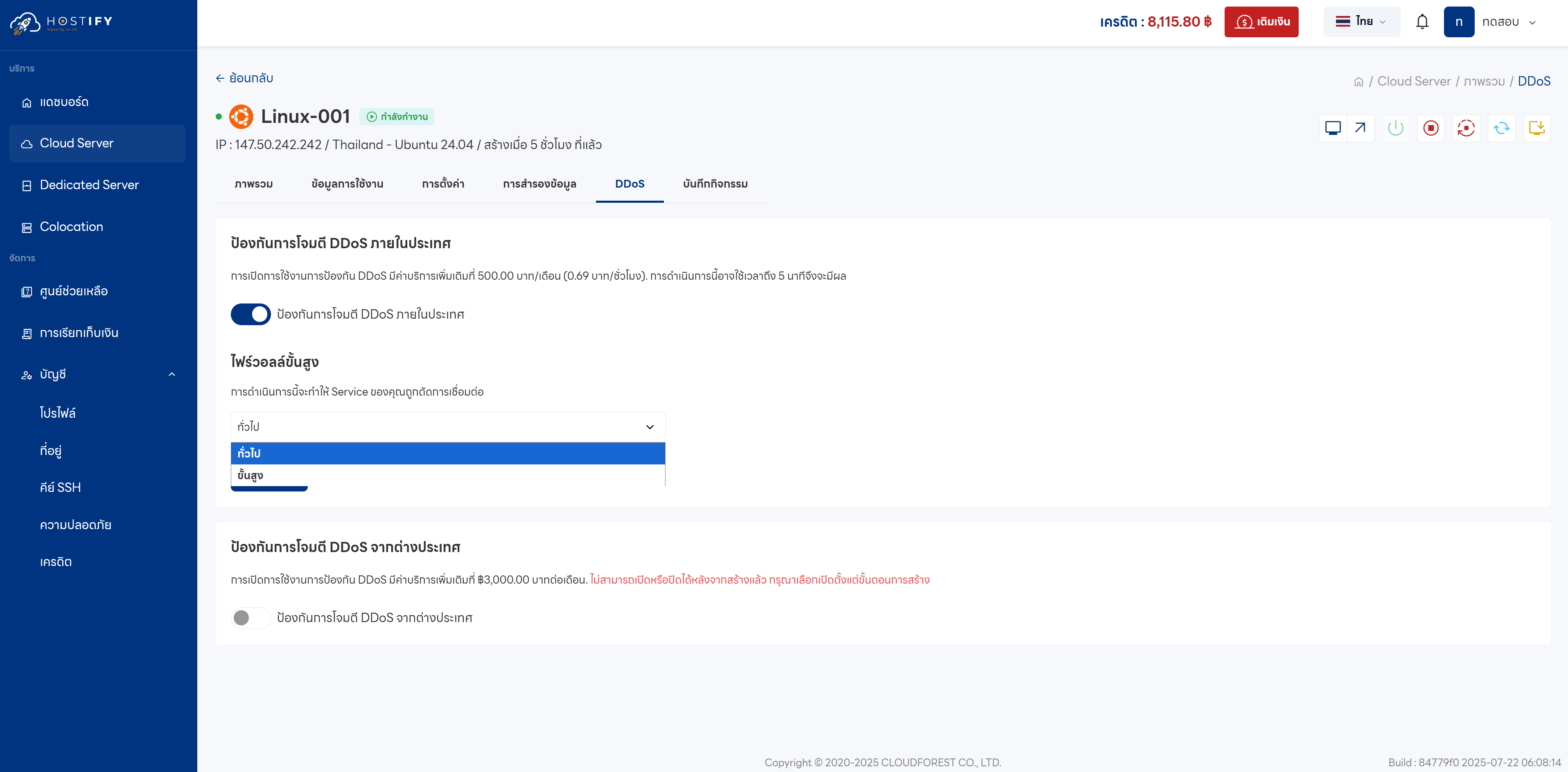
Step 7: Select the appropriate application or game, then save the settings