How to Restart a Cloud Server via Browser
Requirements: A Cloud Server in a Running state
Steps to Restart
Section titled “Steps to Restart”Step 1: Log in at fleet.hostify.in.th

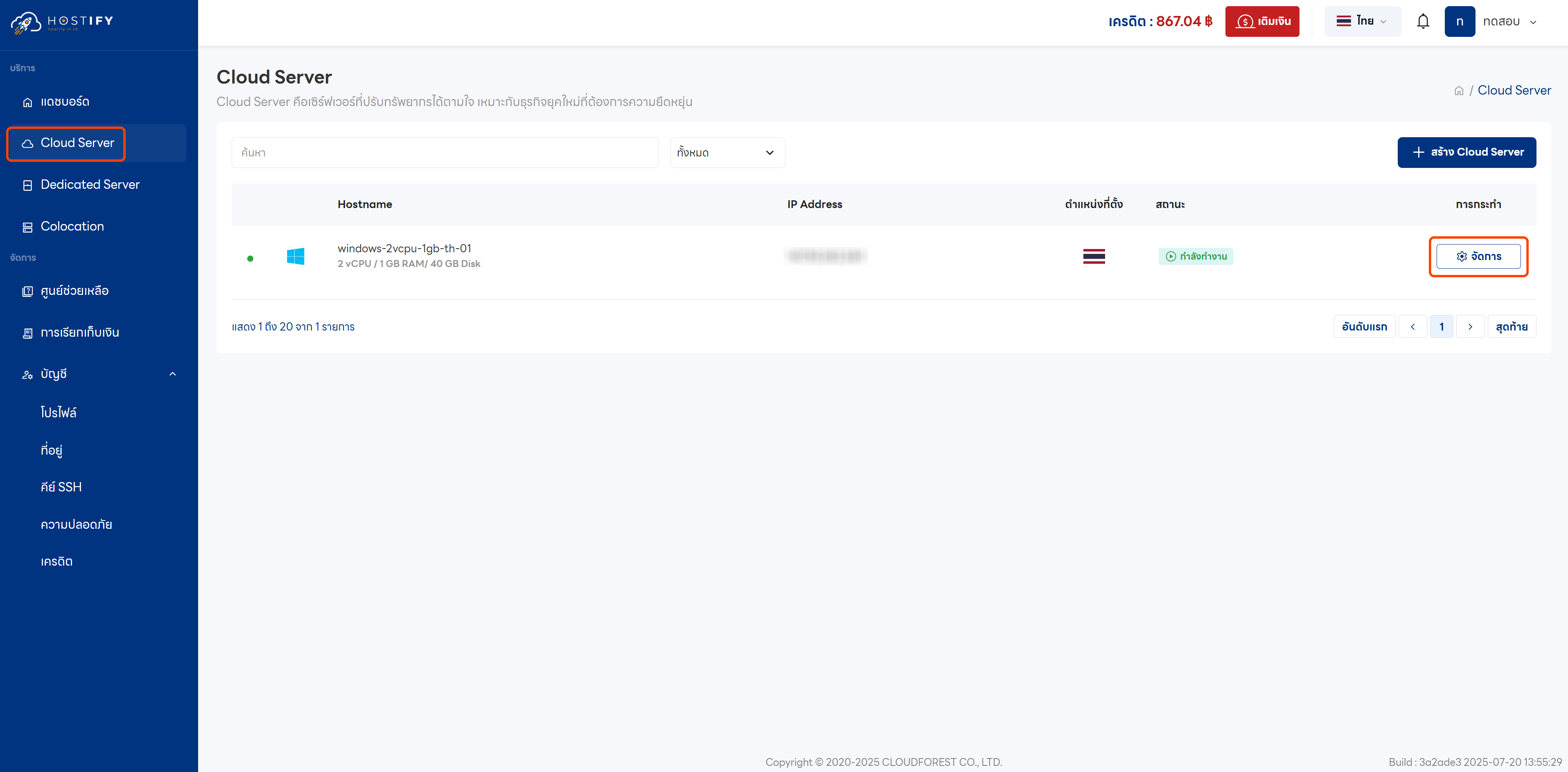
Step 2: Click “Manage” on the desired Cloud Server
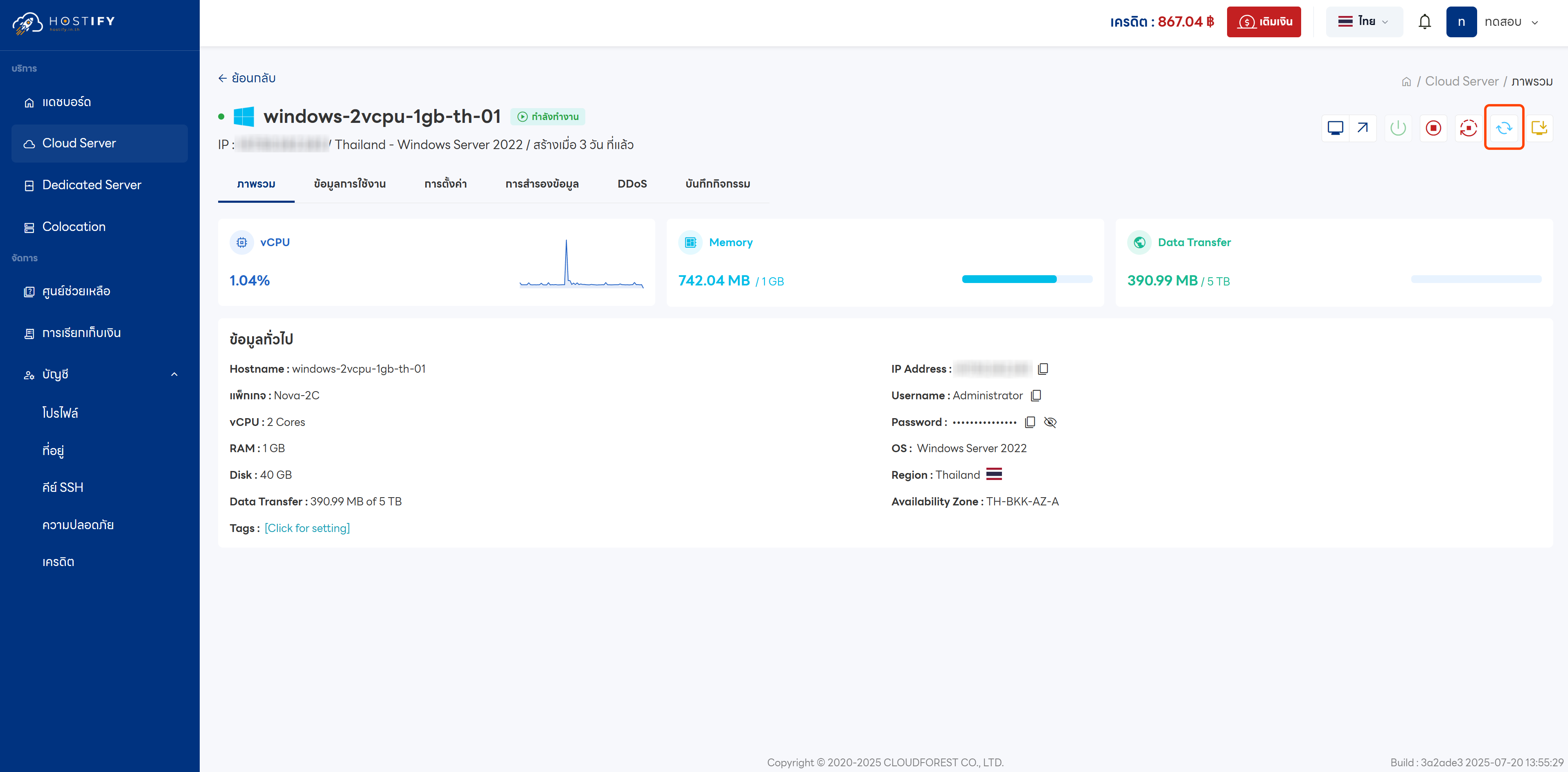
Step 3: Click the Restart icon

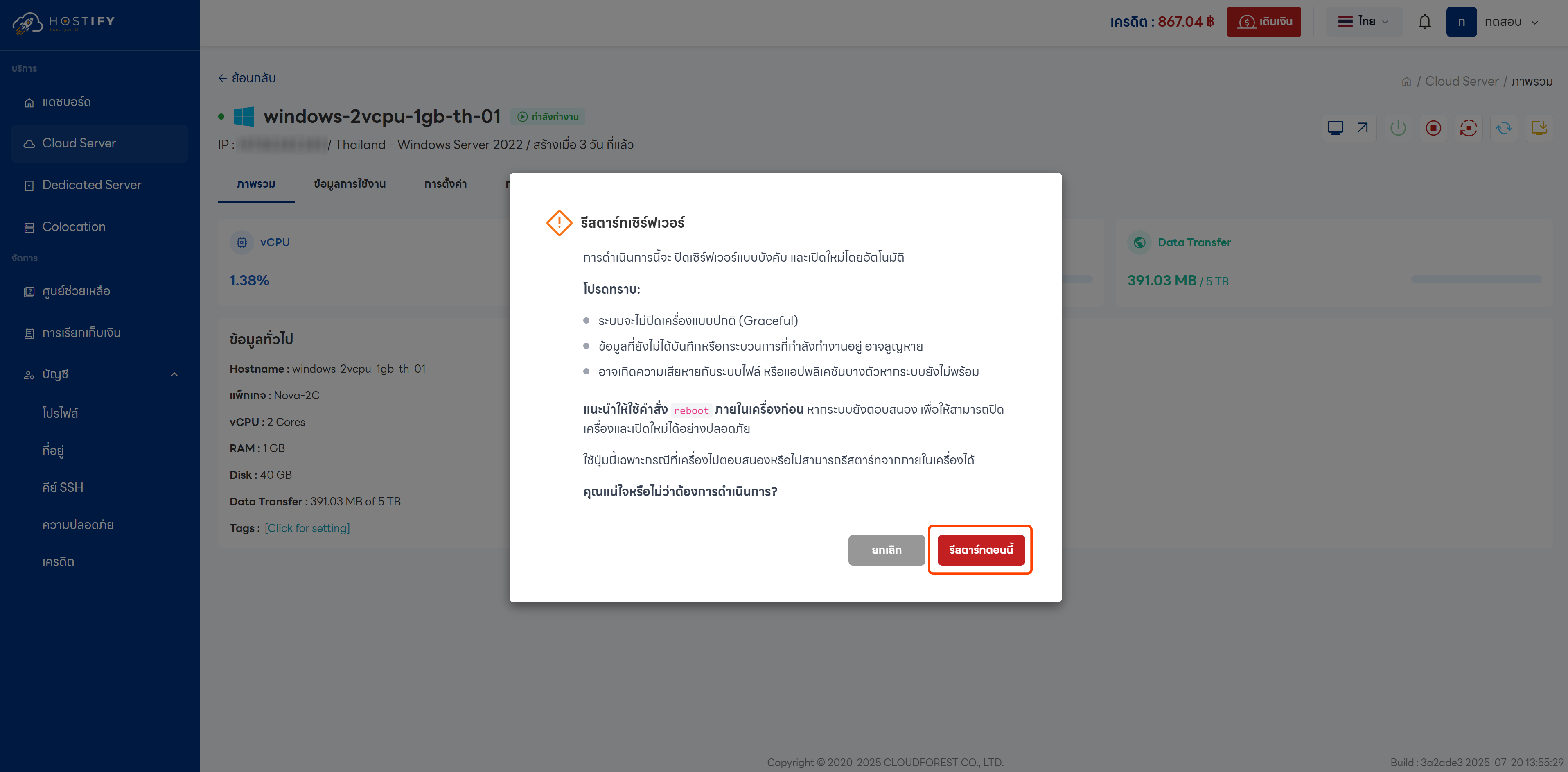
Step 4: Confirm by selecting “Restart Now”
Step 5: Wait for the system to complete the restart process and display a success notification