Starting a Cloud Server
Requirements: A Cloud Server in a Stopped state
Steps to Start the Server
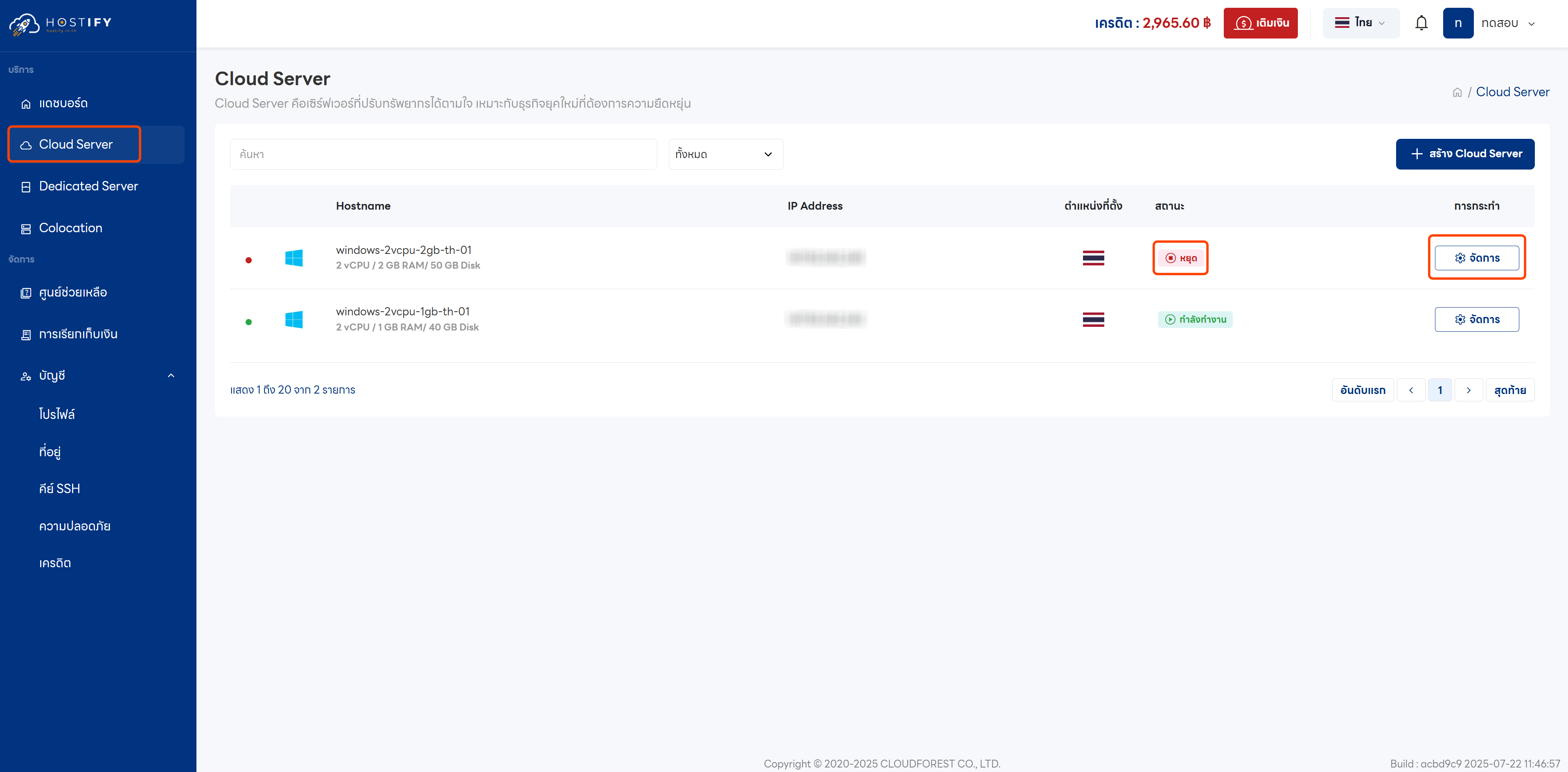
Section titled “Steps to Start the Server”Step 1: Log in at fleet.hostify.in.th

Step 2: Click “Manage” on the desired Cloud Server
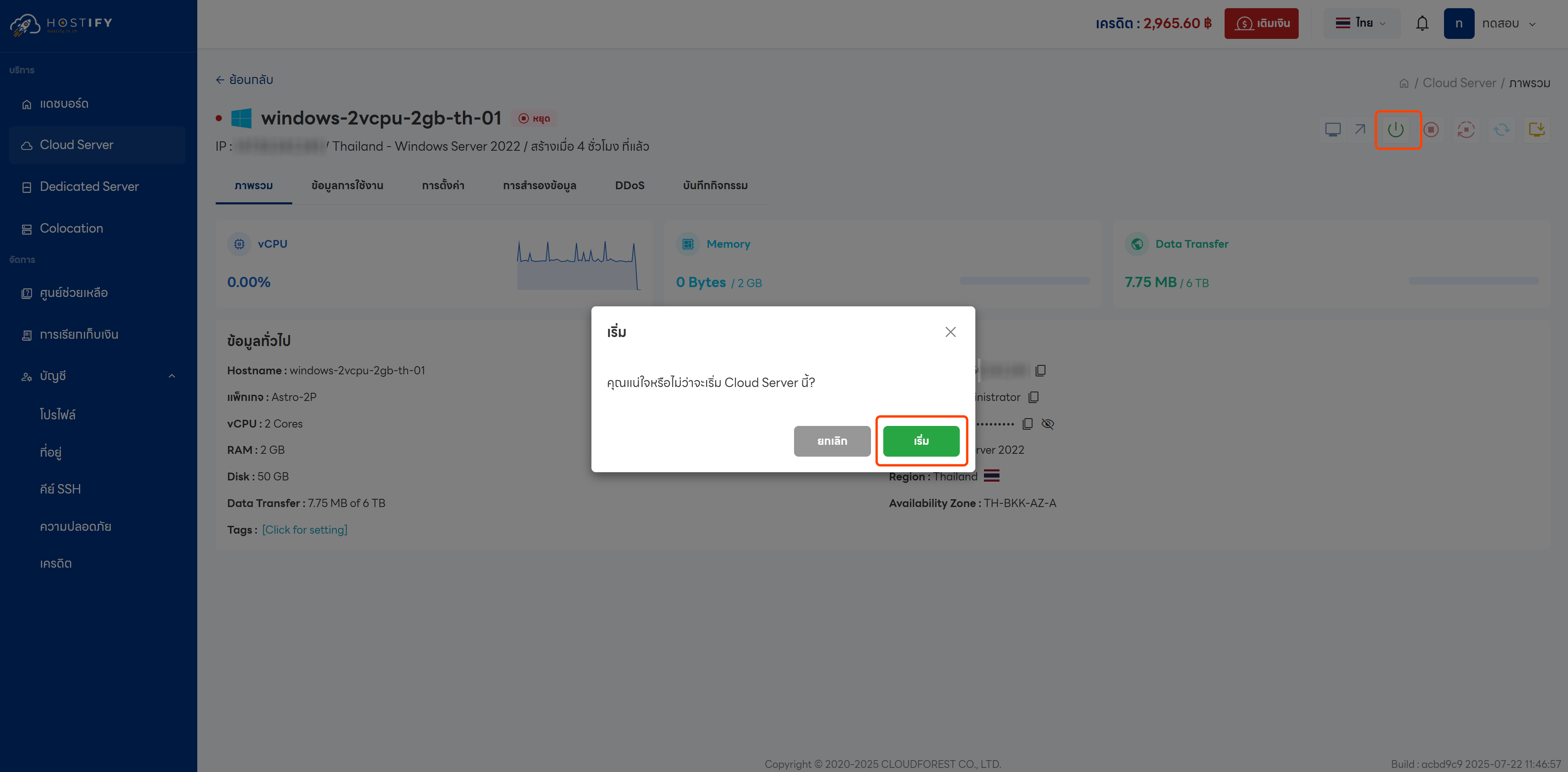
Step 3: Click the Start icon

Step 4: Confirm by clicking “Start”
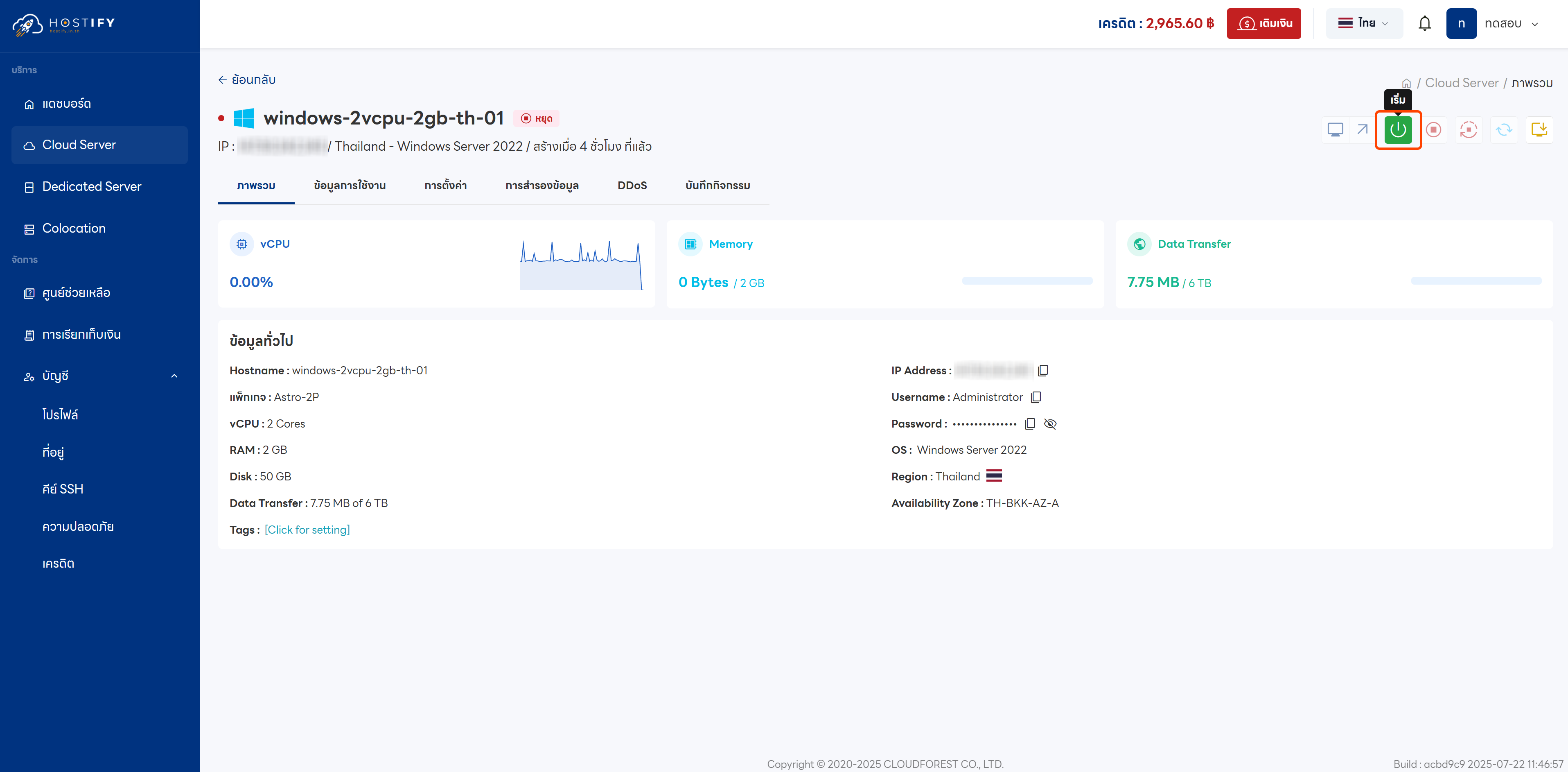
Step 5: Once started successfully, the server status will show as “Running”