How to Set Up an External PMA Voice Server
This article explains how to separate a PMA Voice Server from the main FxServer to improve performance as player count grows. This is a load-distribution approach to reduce the burden on the main server.
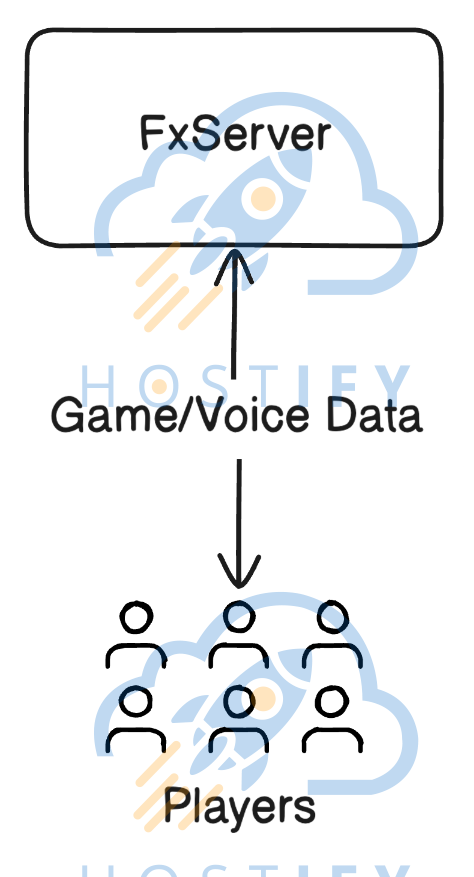
Problem Being Solved
Section titled “Problem Being Solved”GTA V server administrators may experience performance issues when the main server is under heavy load. The solution is to distribute services across separate systems.
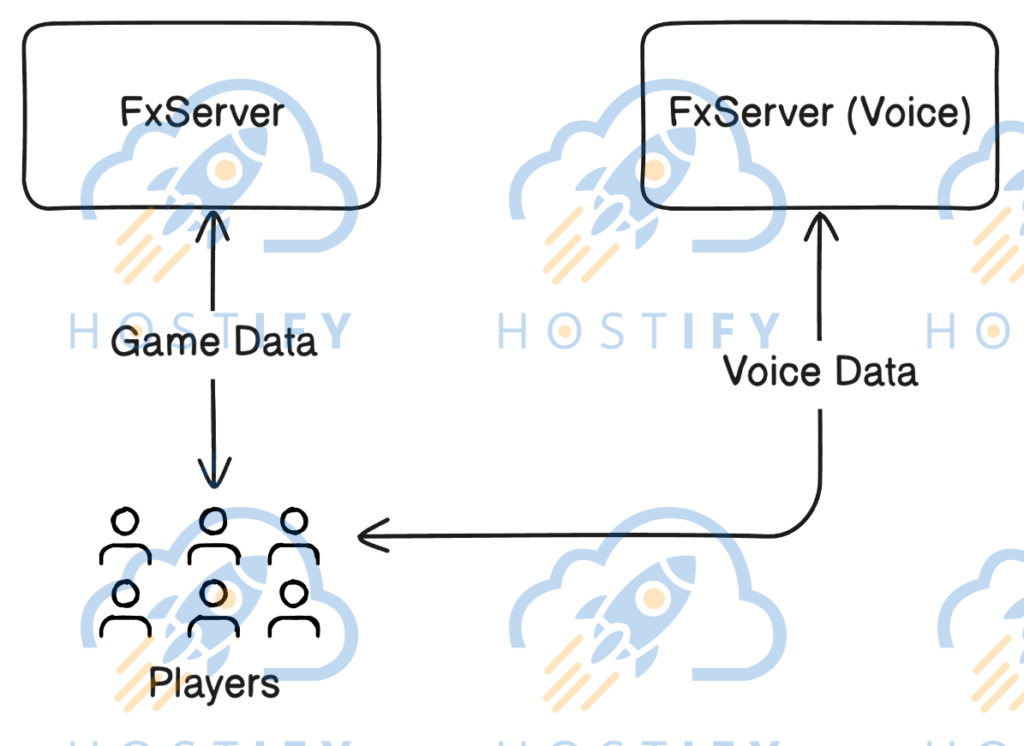
Requirements
Section titled “Requirements”A License Key for FxServer Voice with a slot count matching the main server (or use the same key if running on the same machine).
Configuring the Separate FxServer Voice
Section titled “Configuring the Separate FxServer Voice”- Create a dedicated folder with no Resources
- Configure the following: number of slots, License Key, protection against external connections, TCP/UDP Endpoints
Configuring the Main FxServer
Section titled “Configuring the Main FxServer”Set the External Voice Address and Port to point to the separated Voice Server.
Verification Criteria
Section titled “Verification Criteria”- Players should be able to communicate normally
- Debug Logs should show voice connections going to an external IP
- The Voice Server should show traffic usage