Enabling Two-Factor Authentication (2FA)
Two-Factor Authentication (2FA) is a security process that requires additional verification beyond just a password. Verification methods include OTP via mobile, authentication applications, and biometrics.
Requirements
Section titled “Requirements”- An active account on fleet.hostify.in.th
- An authentication app (Google Authenticator or Microsoft Authenticator)
Steps to Enable
Section titled “Steps to Enable”- Log in at fleet.hostify.in.th
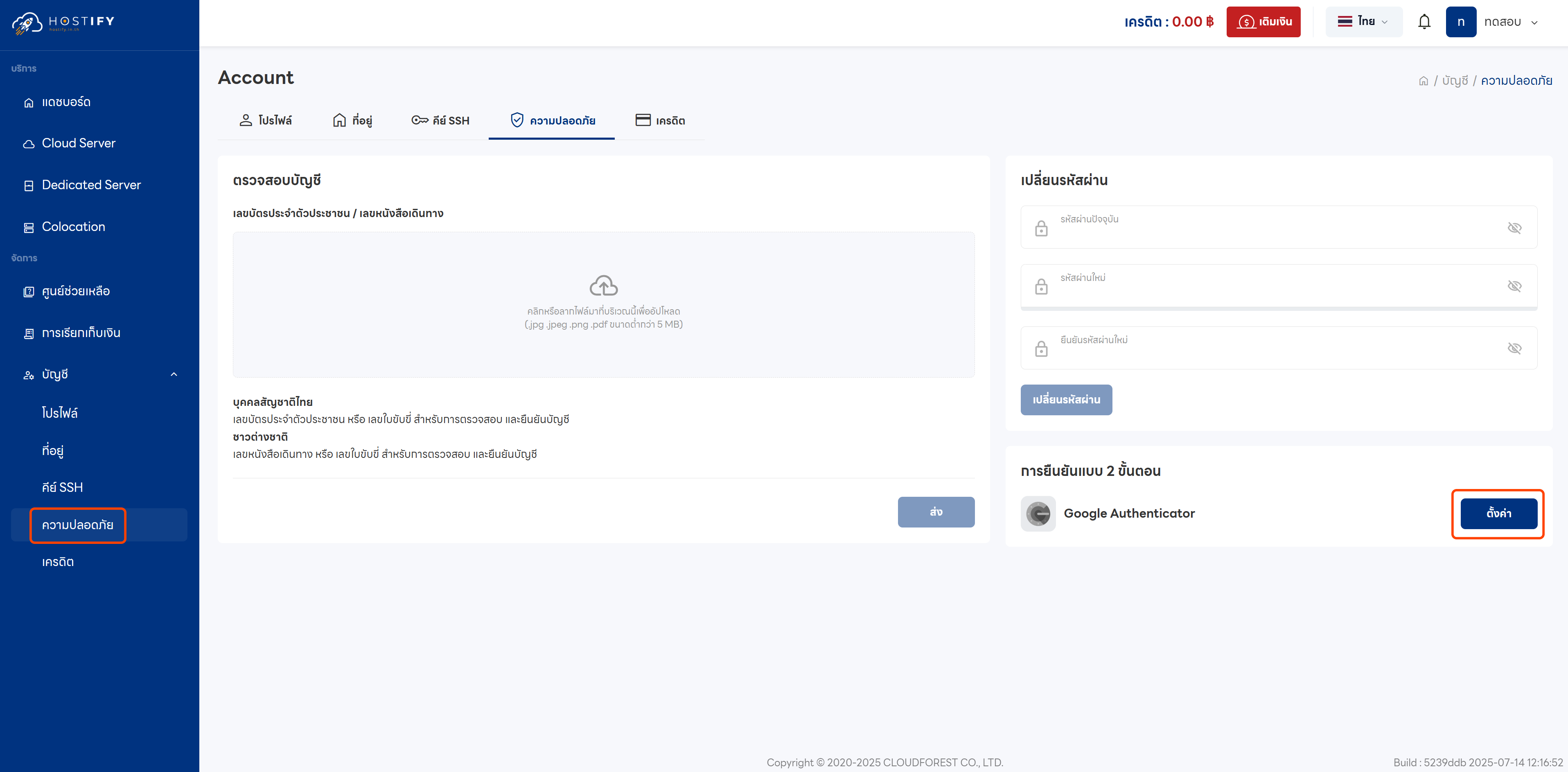
- Go to the Security menu from the left sidebar
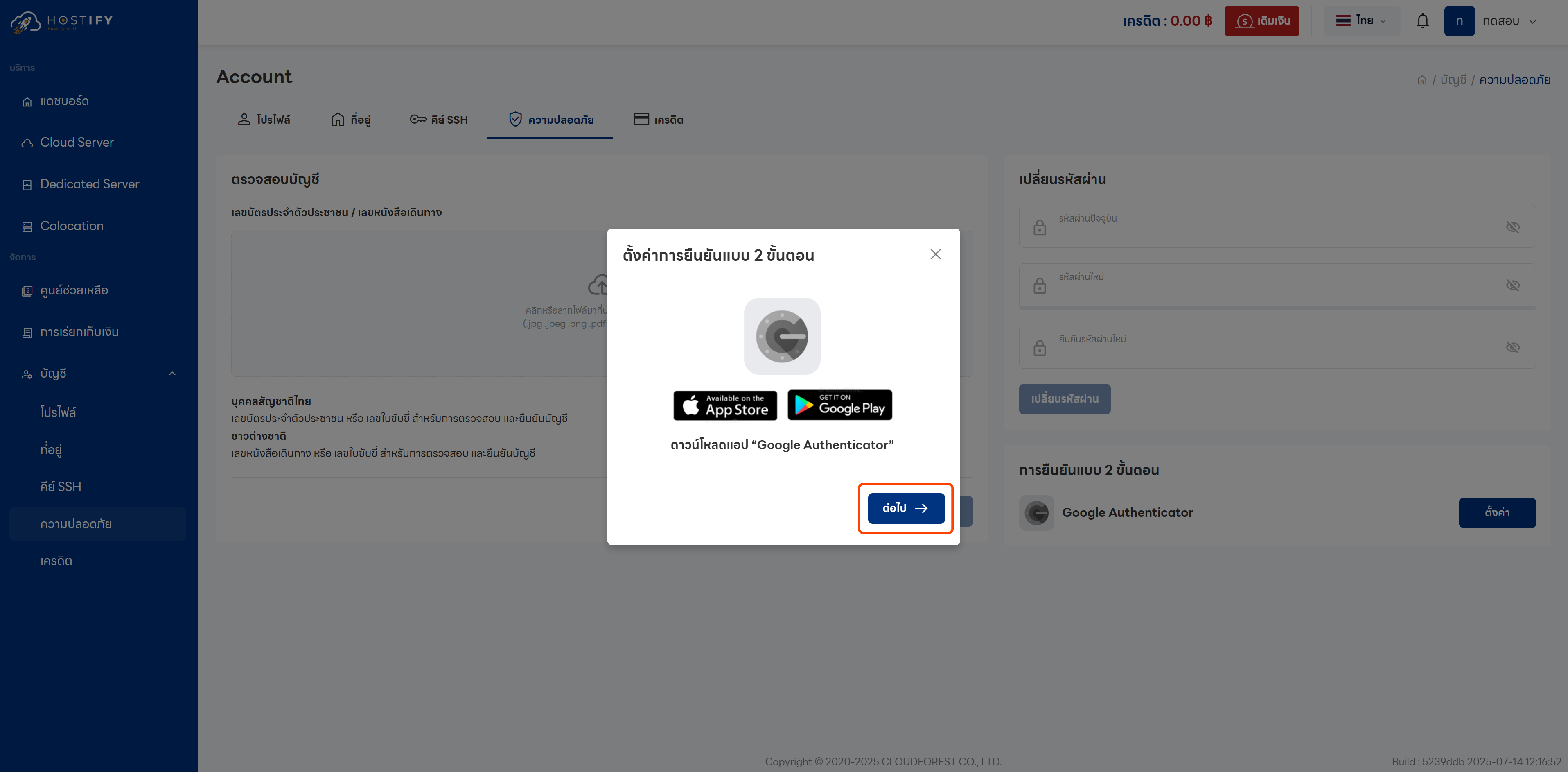
- Click the Setup button
-
Download an authentication app if you don’t have one:
- Google Authenticator (Android/iOS)
- Microsoft Authenticator (Android/iOS)
-
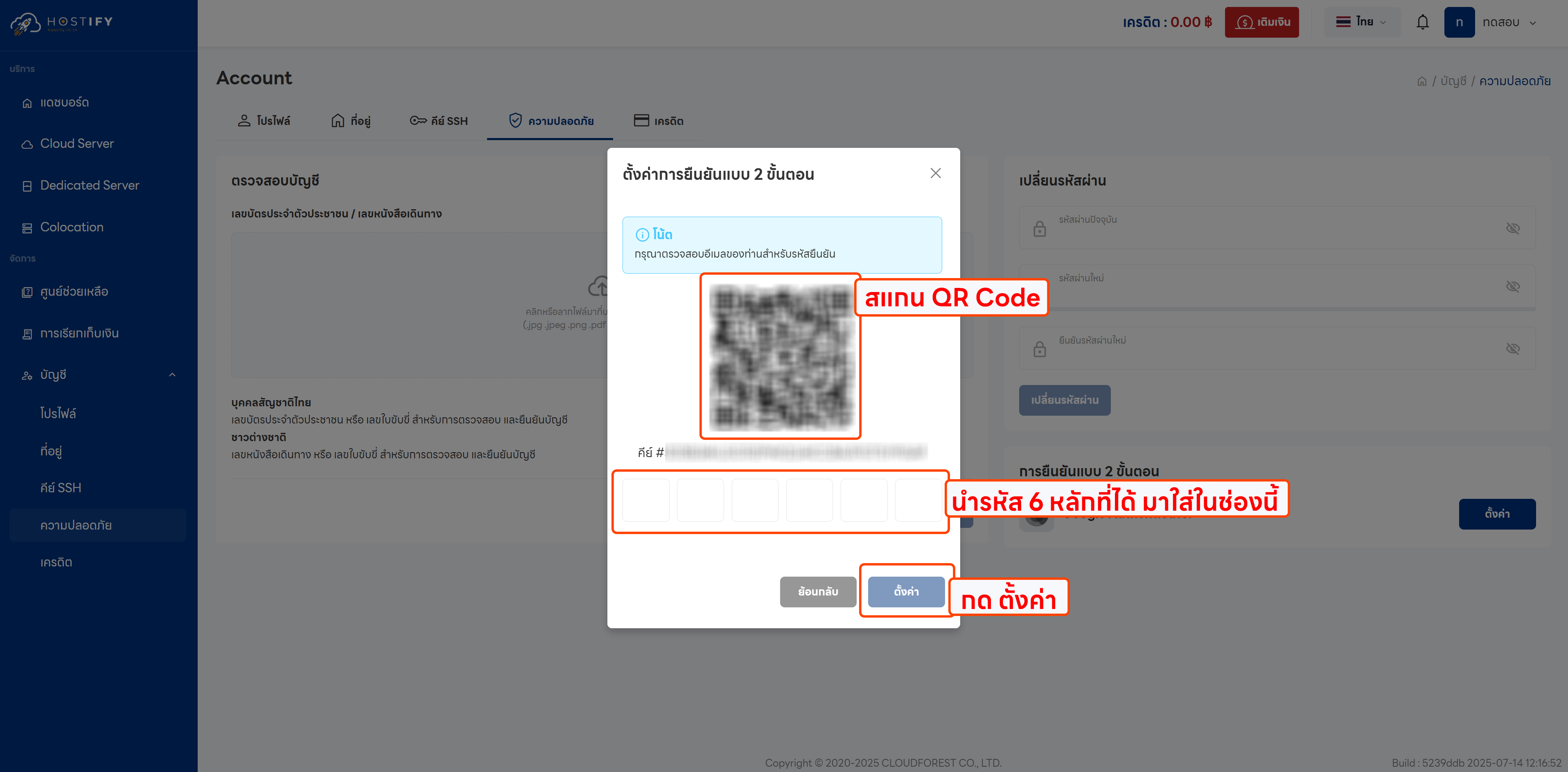
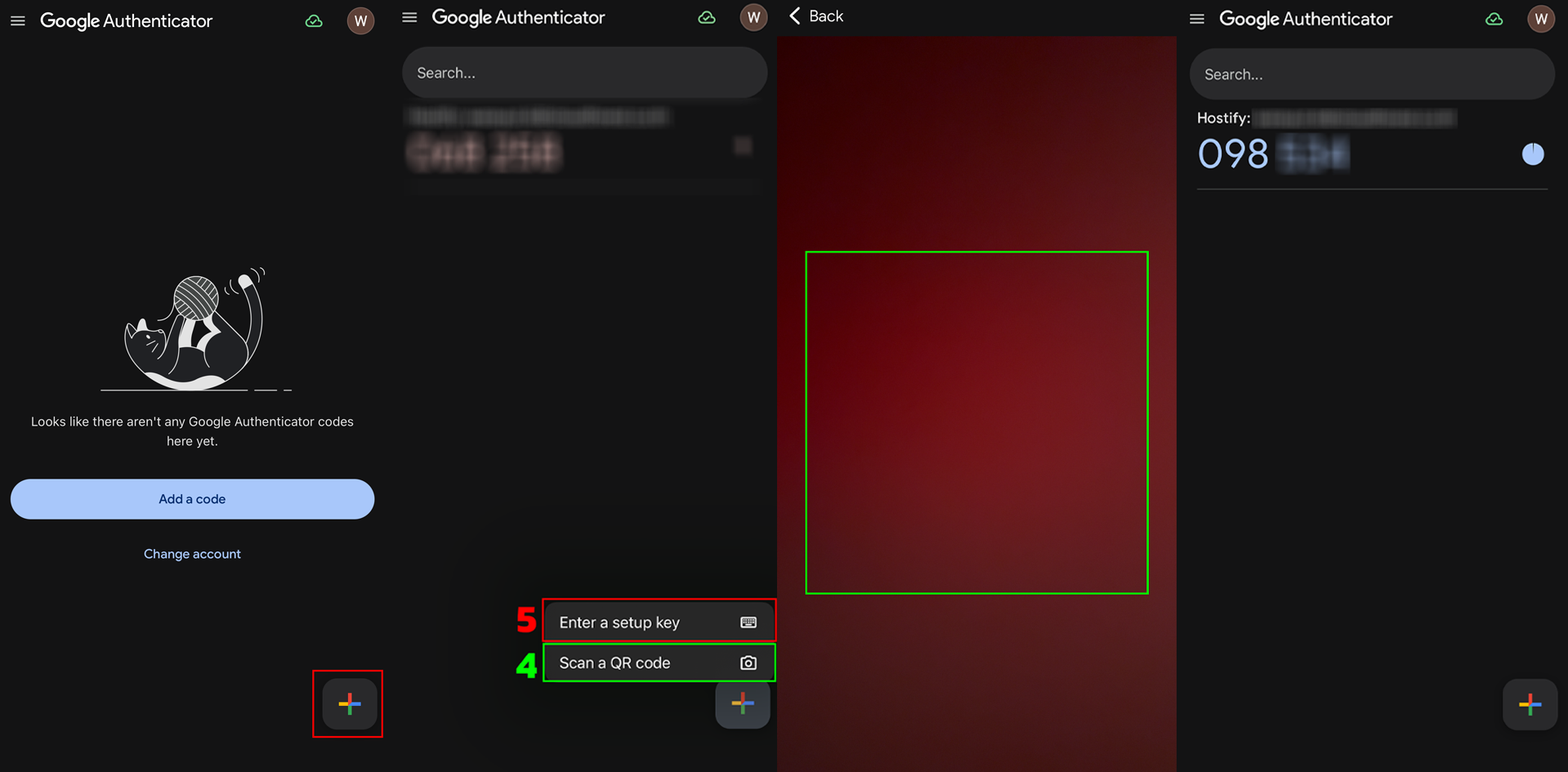
Scan the QR Code displayed, or manually enter the code shown
- Click Setup to confirm
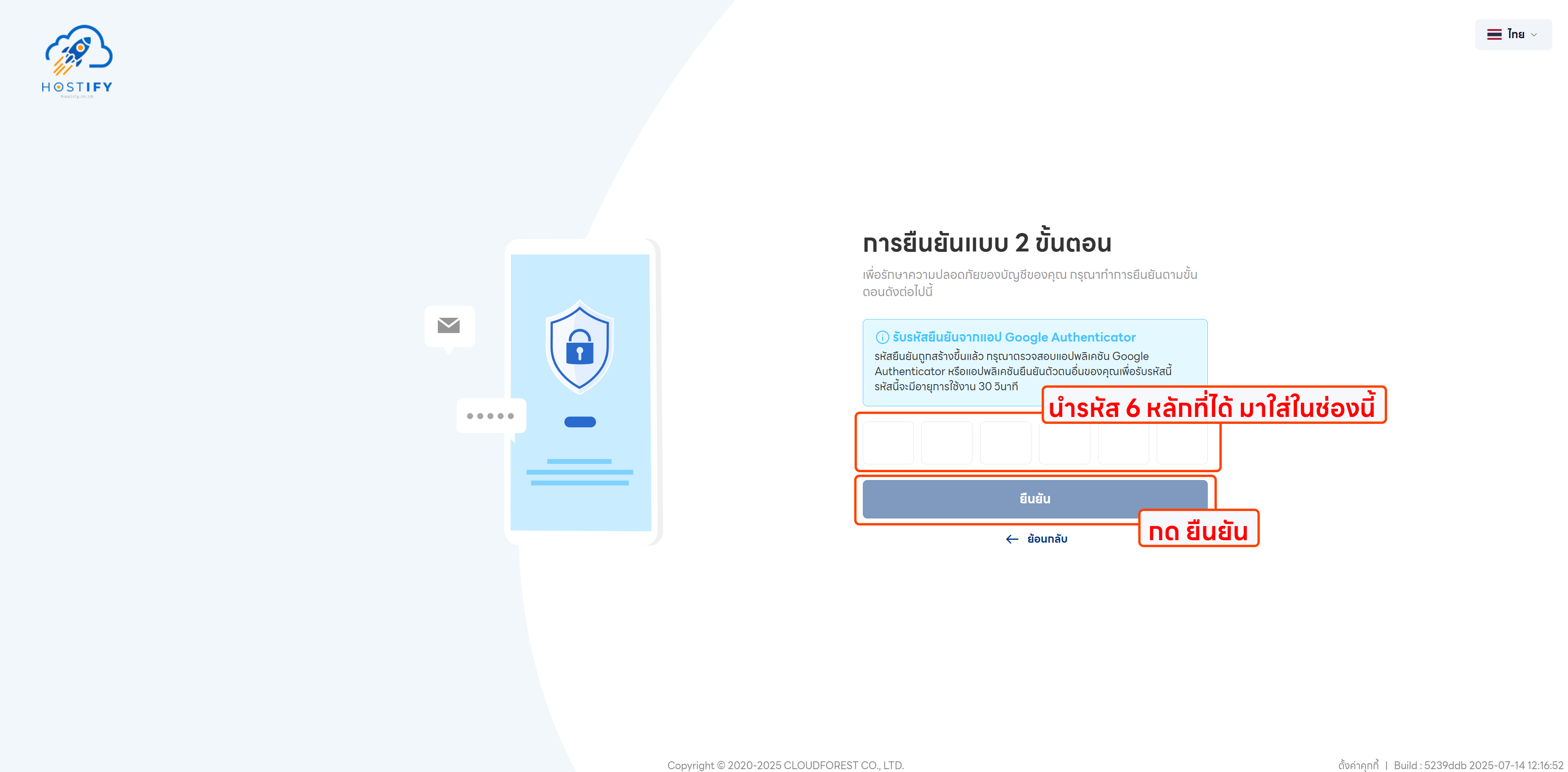
Result
Section titled “Result”Once enabled, users must enter a verification code from their chosen authentication app during login and when changing their password, adding an extra layer of account security.