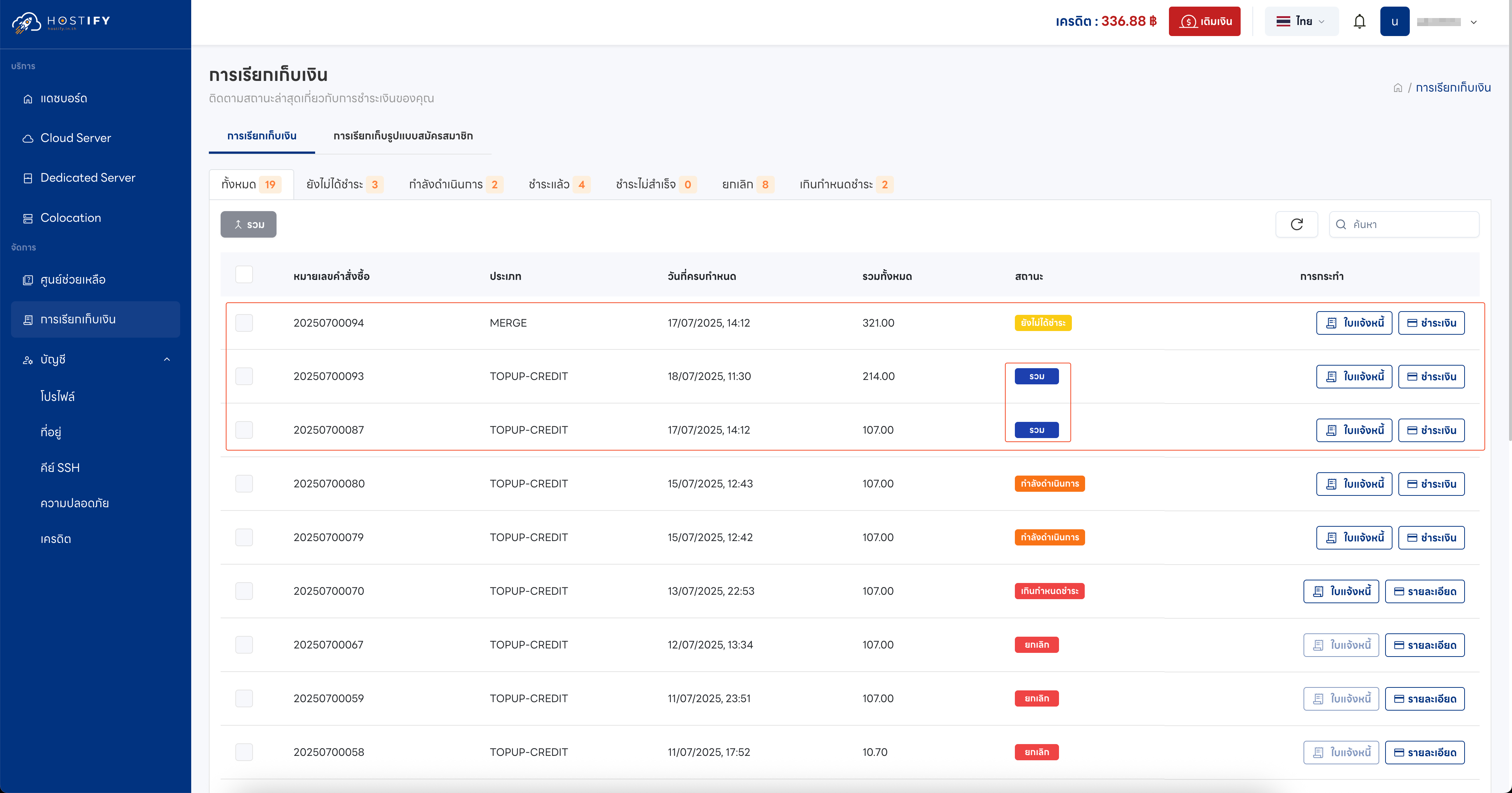
How to Merge Invoices
Customers with multiple outstanding invoices can merge them into a single payment. The requirement is that all invoices must have an “Unpaid” status, and at least 2 invoices must be selected.
Steps to Merge Invoices
Section titled “Steps to Merge Invoices”- Select the invoices to merge by checking the checkbox on the left of each
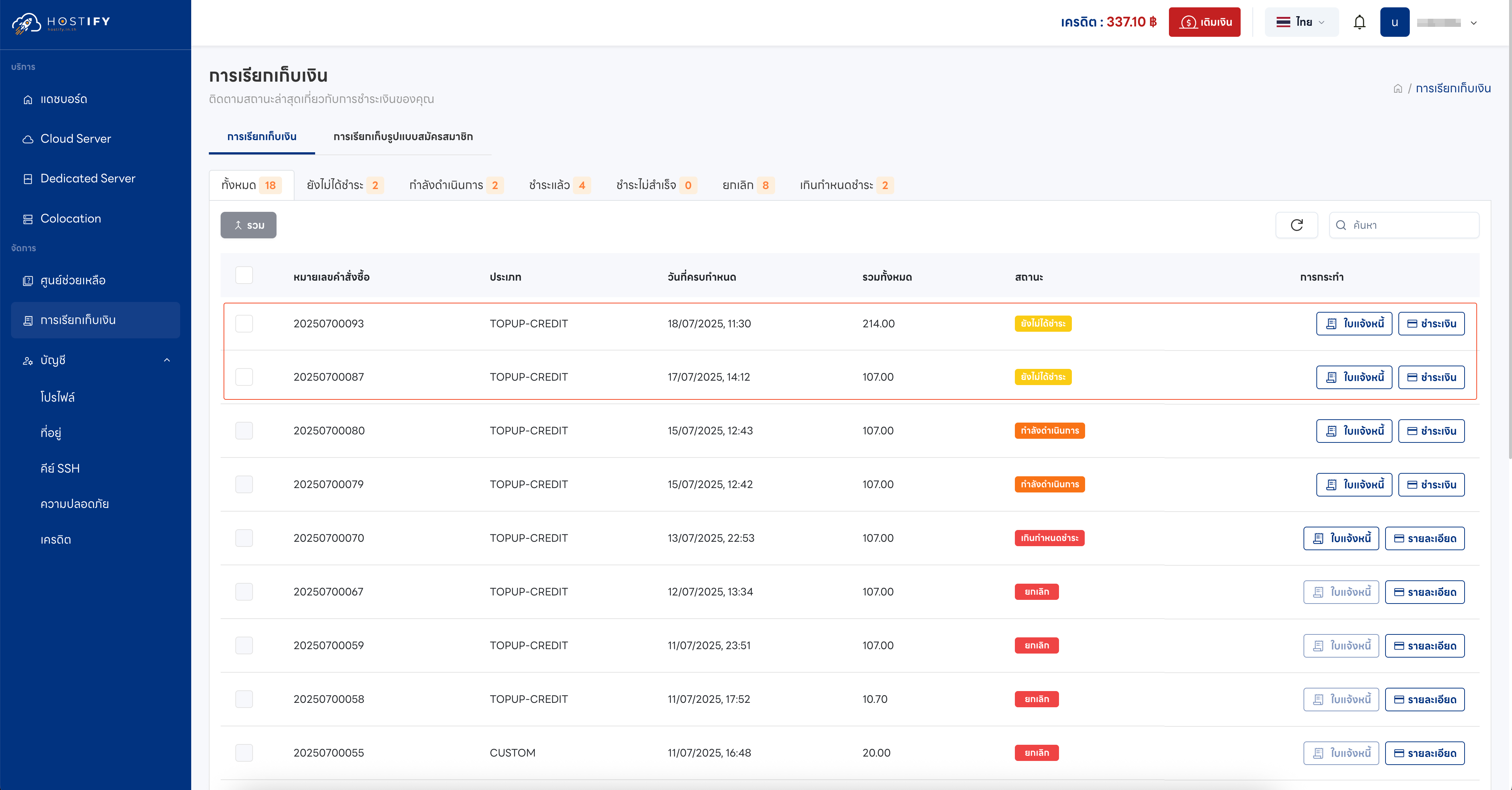
- Once selected, click the “Merge” button
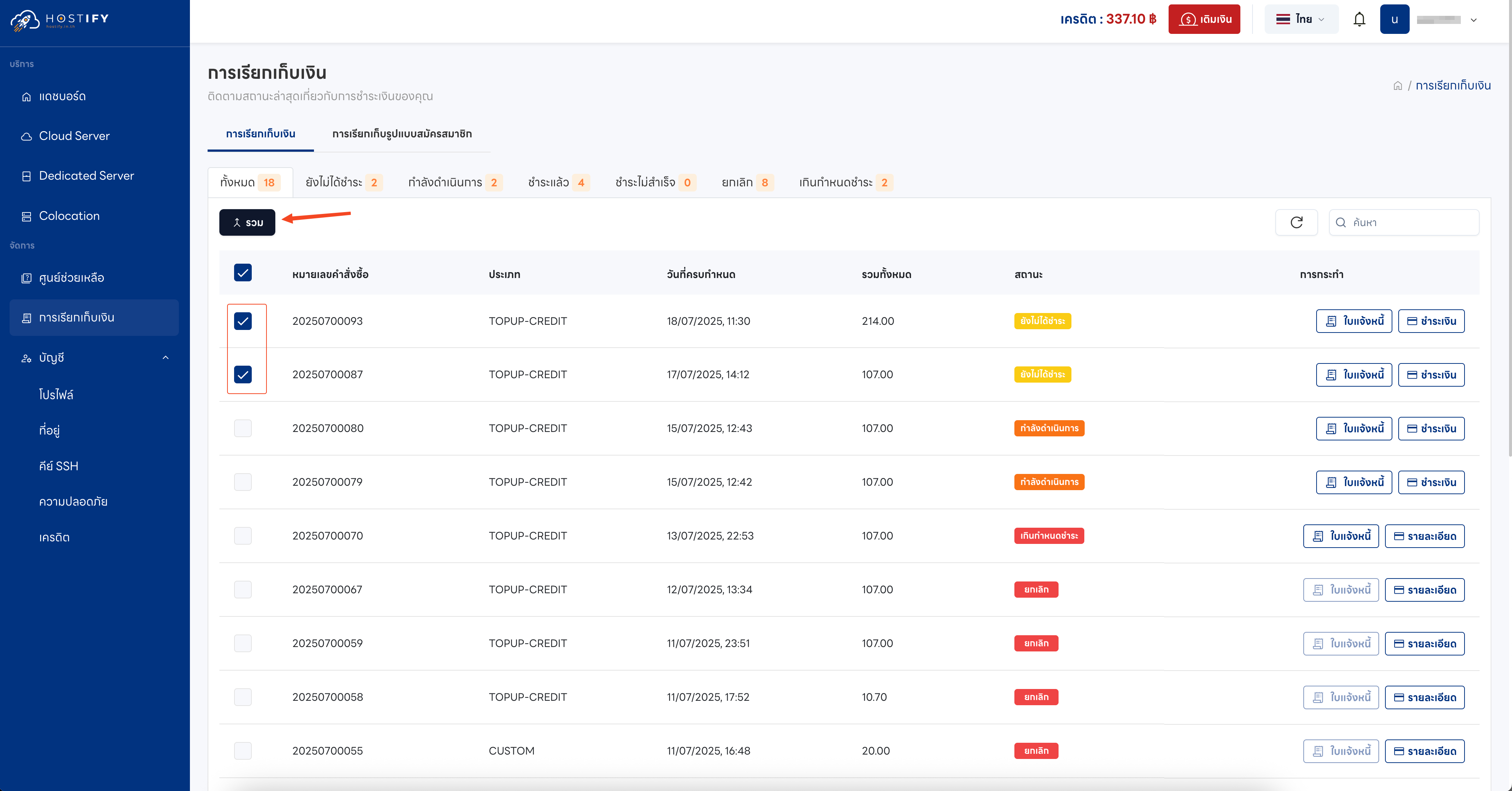
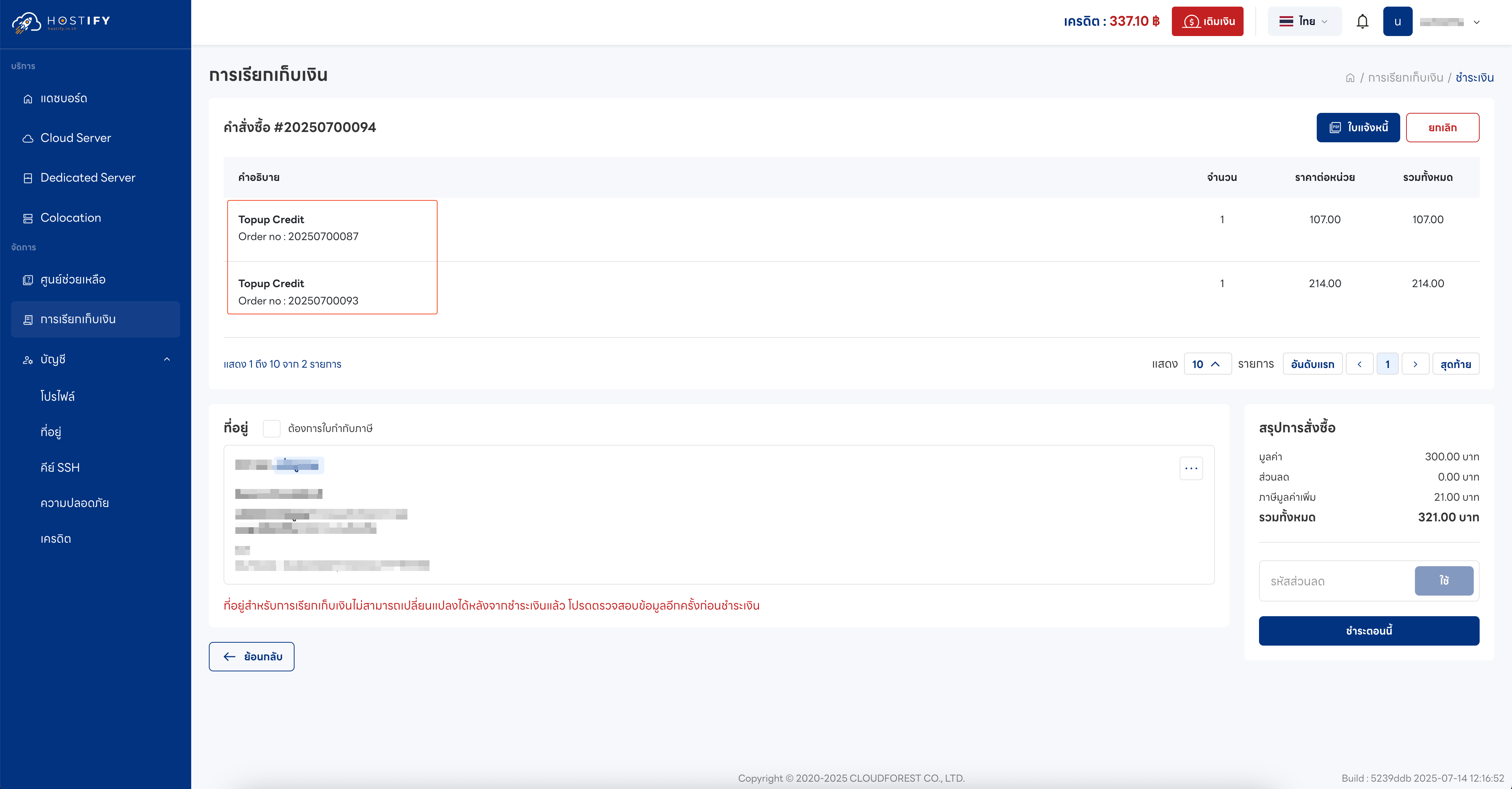
- After merging, the combined invoice will display the total amount
-
The billing page will show the new merged invoice, while the original individual invoices will change status to Merged
-
Proceed to pay the merged invoice following the normal payment process