How to Register on the Hostify Portal
Registration Steps
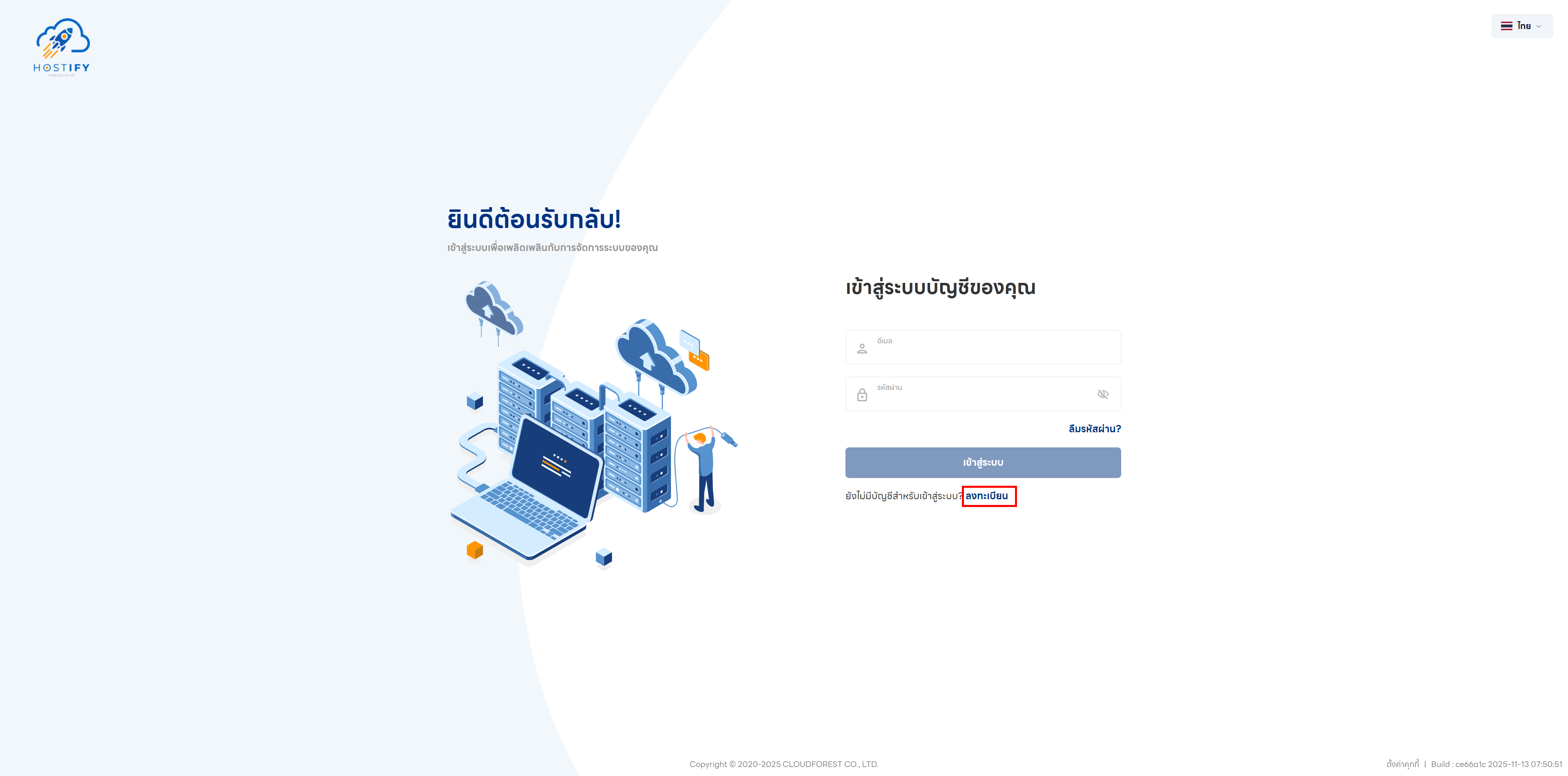
Section titled “Registration Steps”Step 1: Go to fleet.hostify.in.th and click the Register button
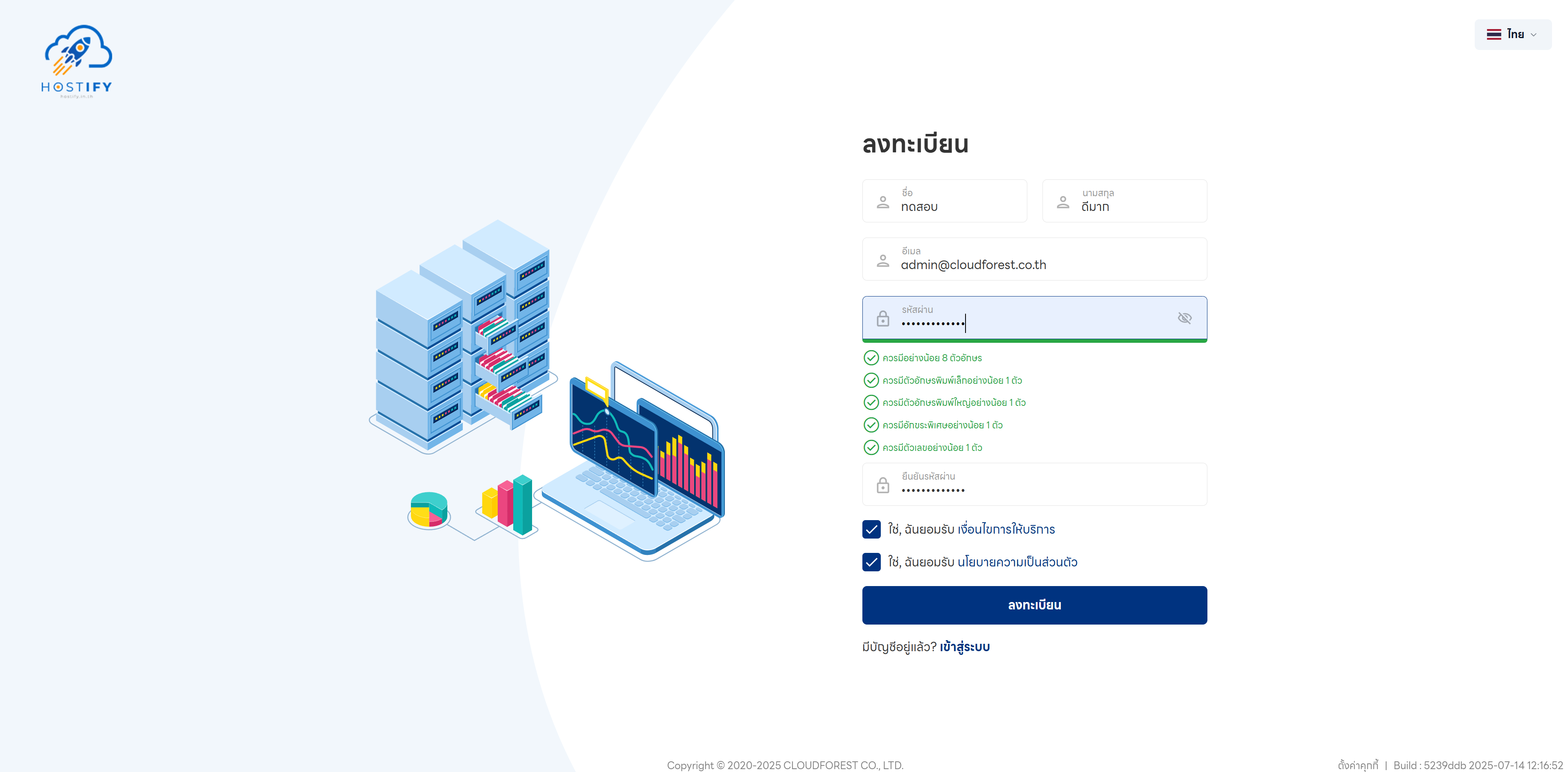
Step 2: Fill in the registration form with your first name, last name, email, and password. The password must be more than 8 characters long and contain uppercase letters, lowercase letters, special characters, and numbers. Then accept the Terms of Service and Privacy Policy.
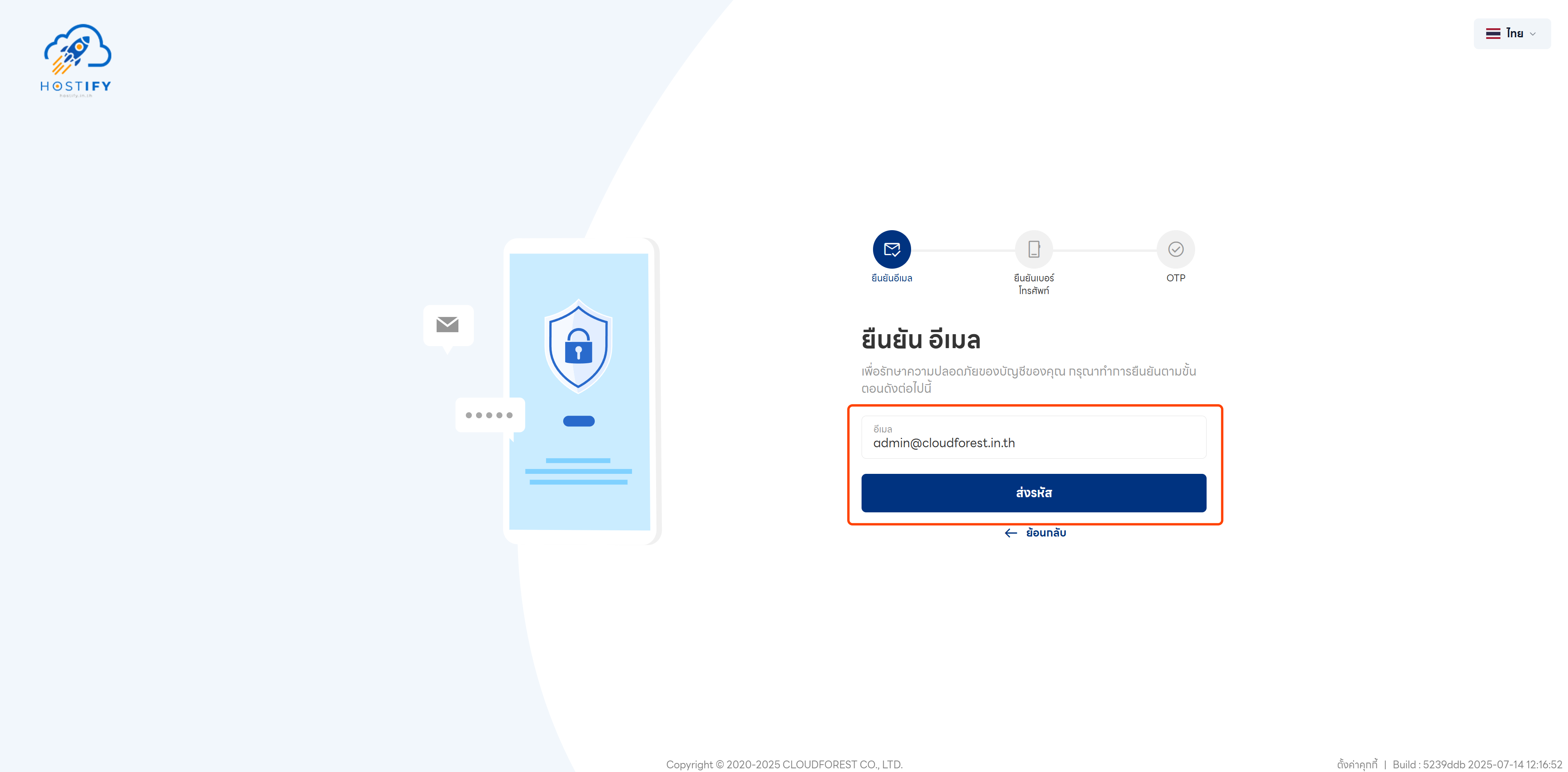
Step 3: After registering, verify your email by clicking “Send Code” and entering the 6-digit verification code you receive.
Step 4: Verify your mobile phone number by entering your number and requesting an OTP.
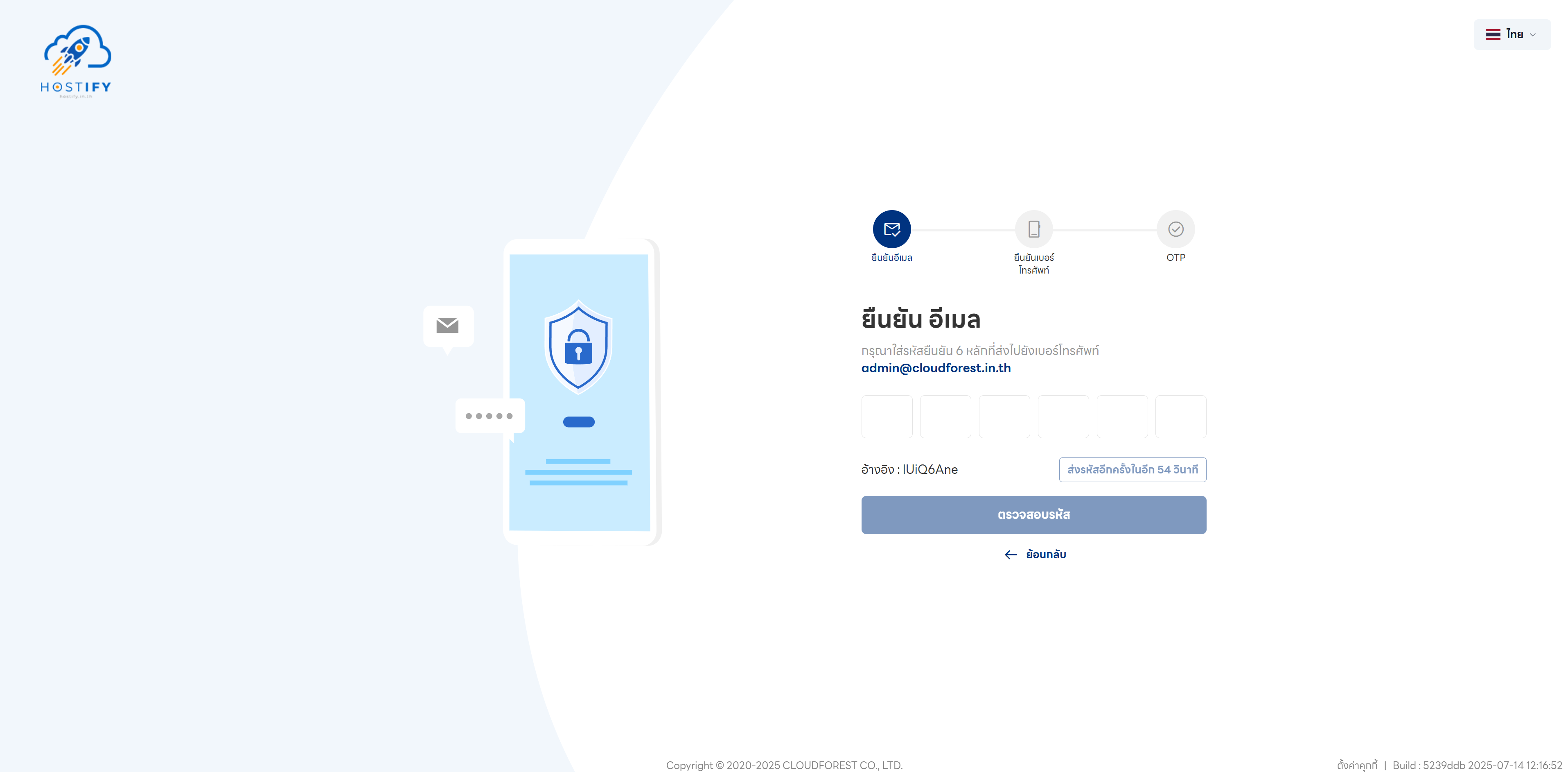
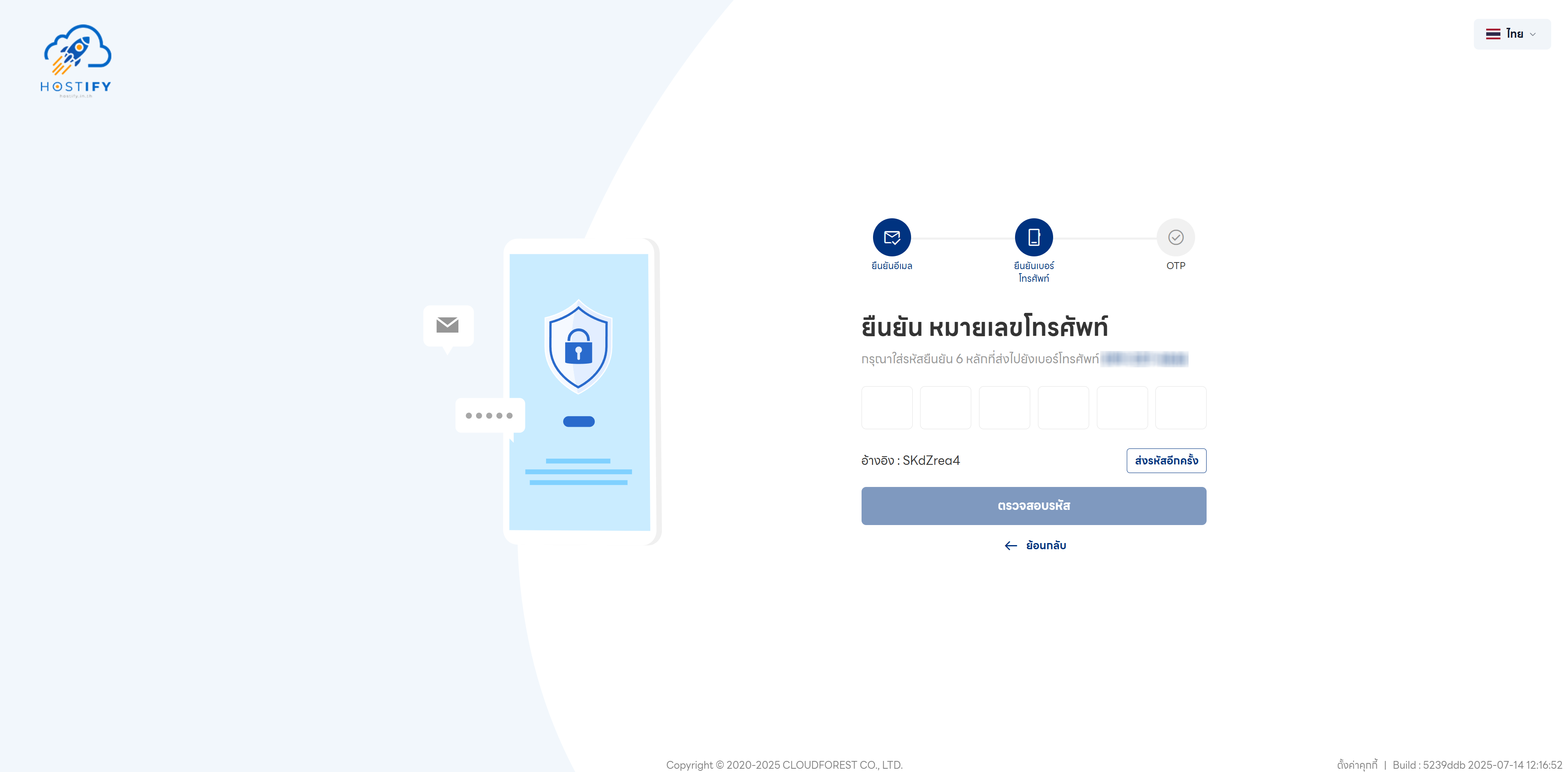
Step 5: Enter the OTP (One-Time Password) received via SMS.
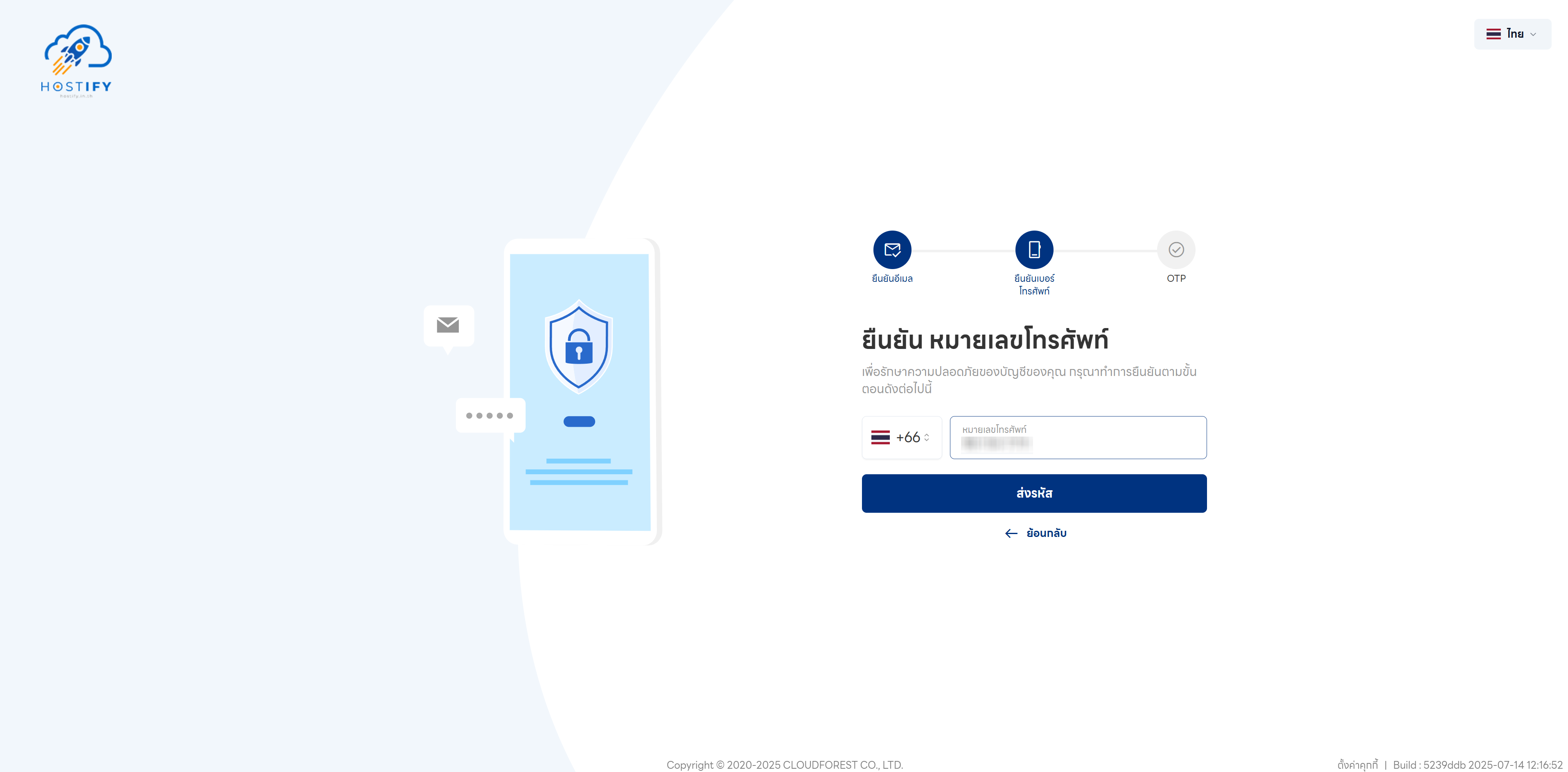
Step 6: Once all steps are complete, registration is finished. You can log in and start using Hostify products immediately.