How to Top Up Credit for Cloud Server

Steps to Top Up Credit
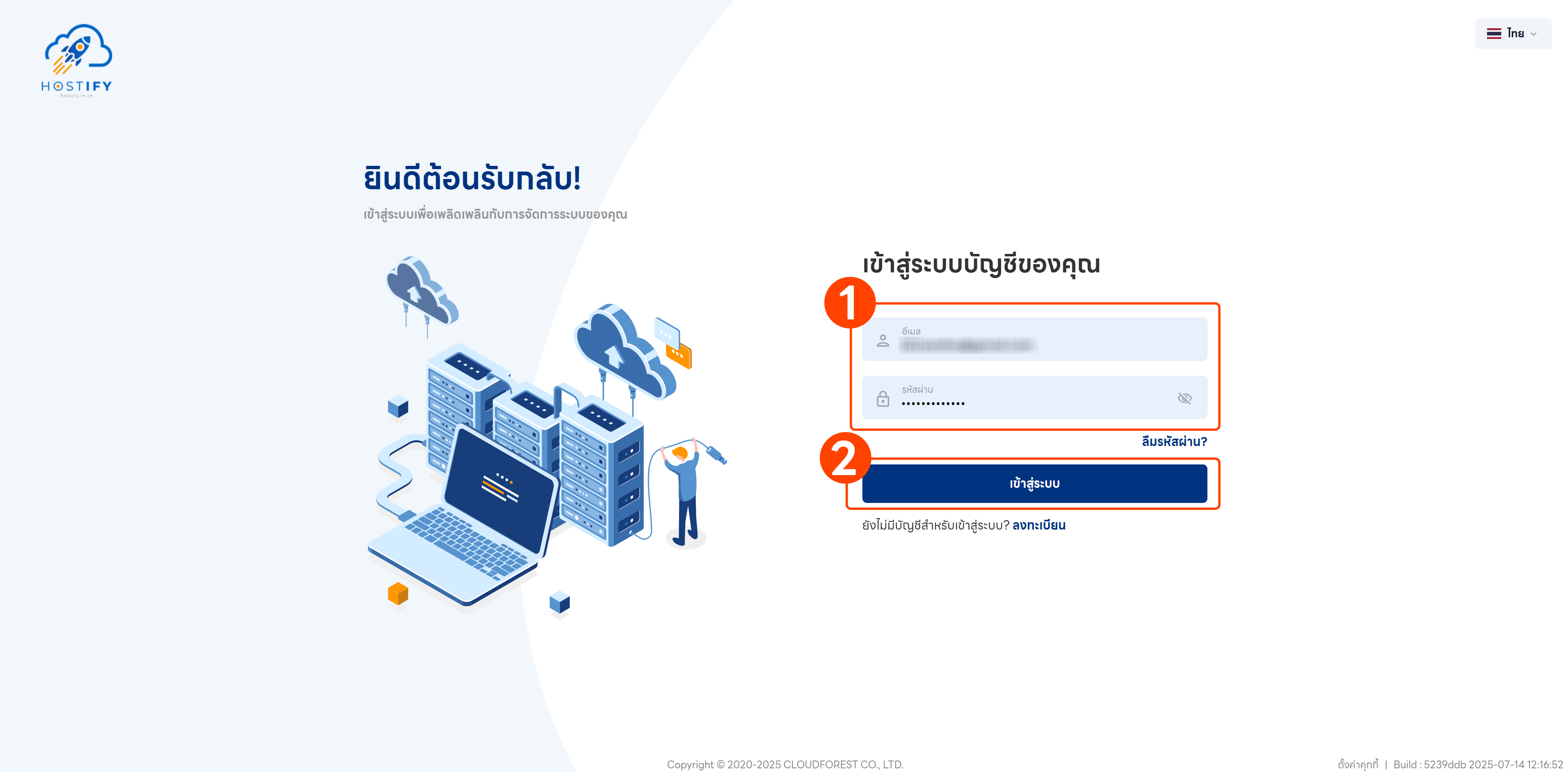
Section titled “Steps to Top Up Credit”Step 1: Log in at fleet.hostify.in.th, or register if you do not yet have an account.
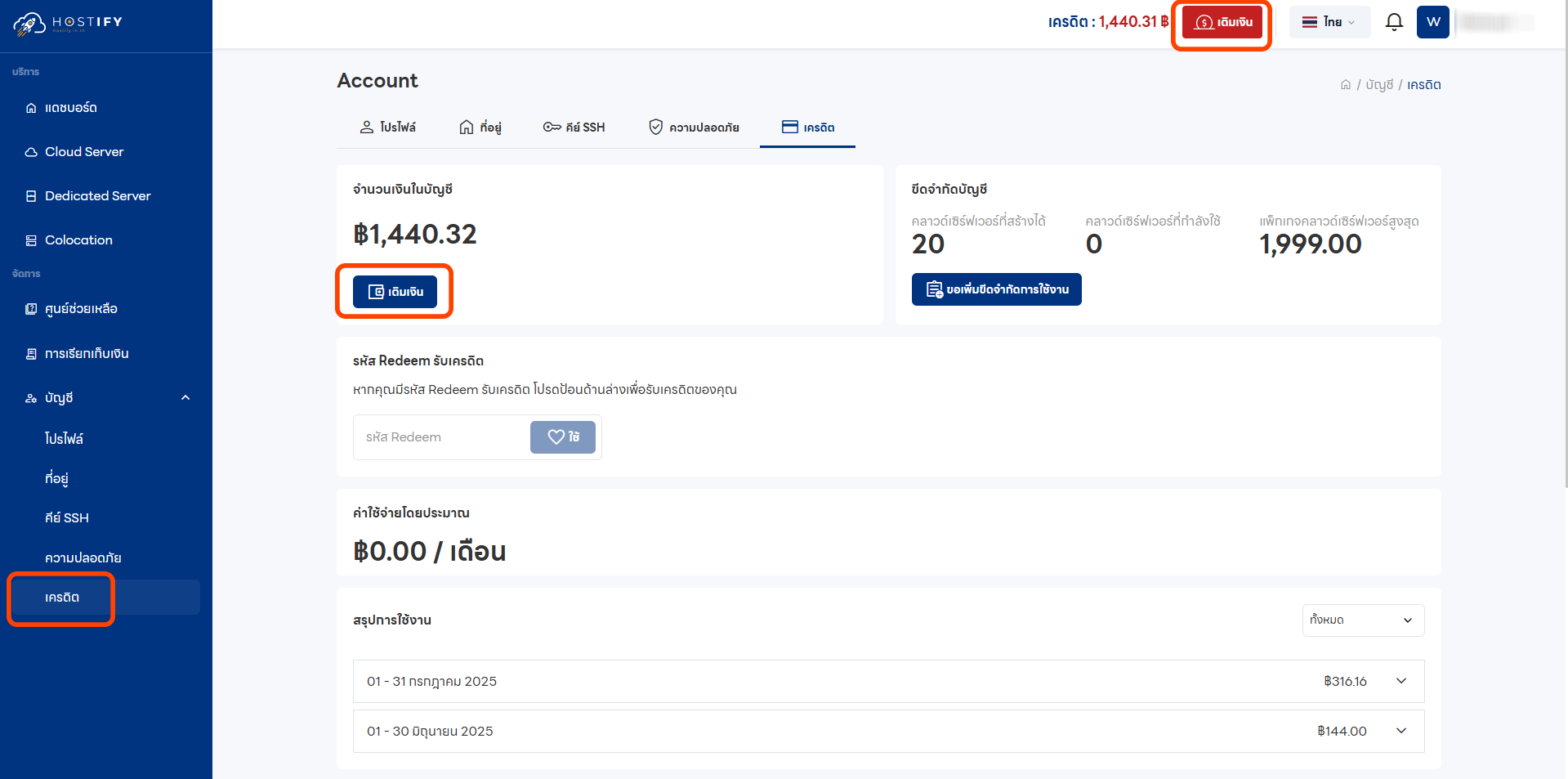
Step 2: Select “Credit” from the left sidebar, then click the top-up button.
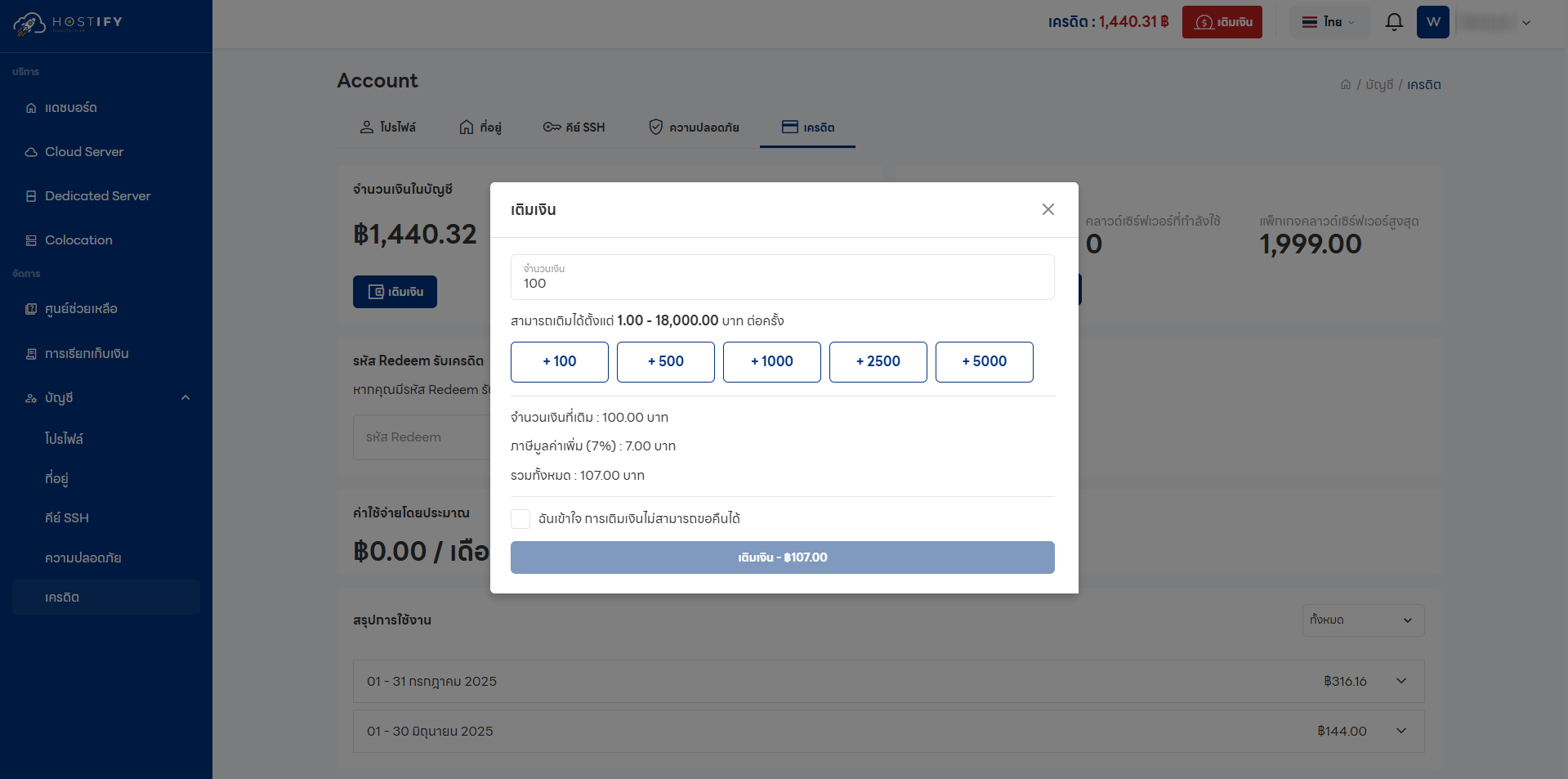
Step 3: Enter the amount you wish to top up (maximum 18,000 THB per transaction) and check the box confirming “I understand that top-ups are non-refundable”.
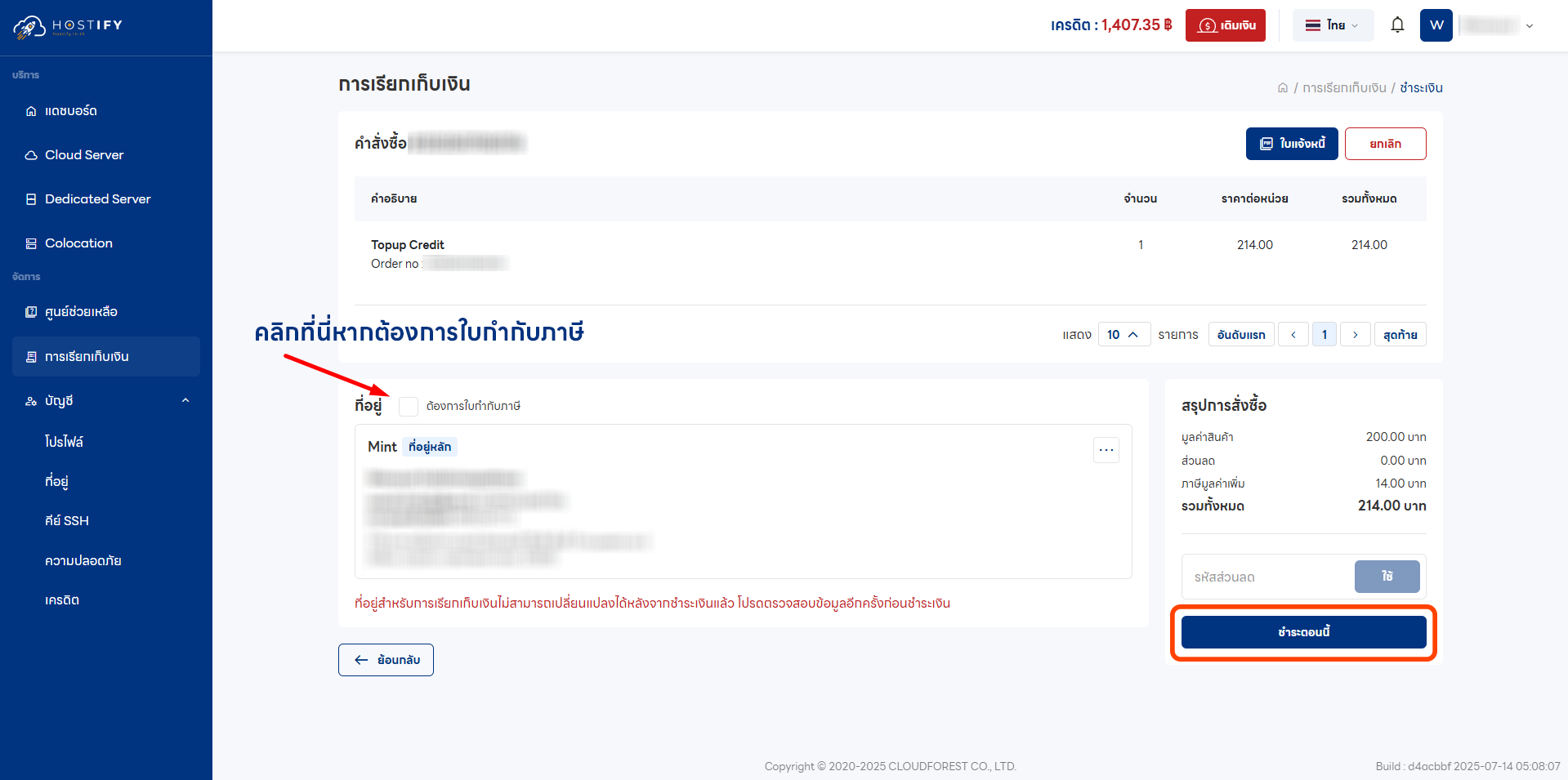
Step 4: Review the billing details. You can opt to receive a tax invoice (an additional 30 THB applies). Then click “Pay Now”.
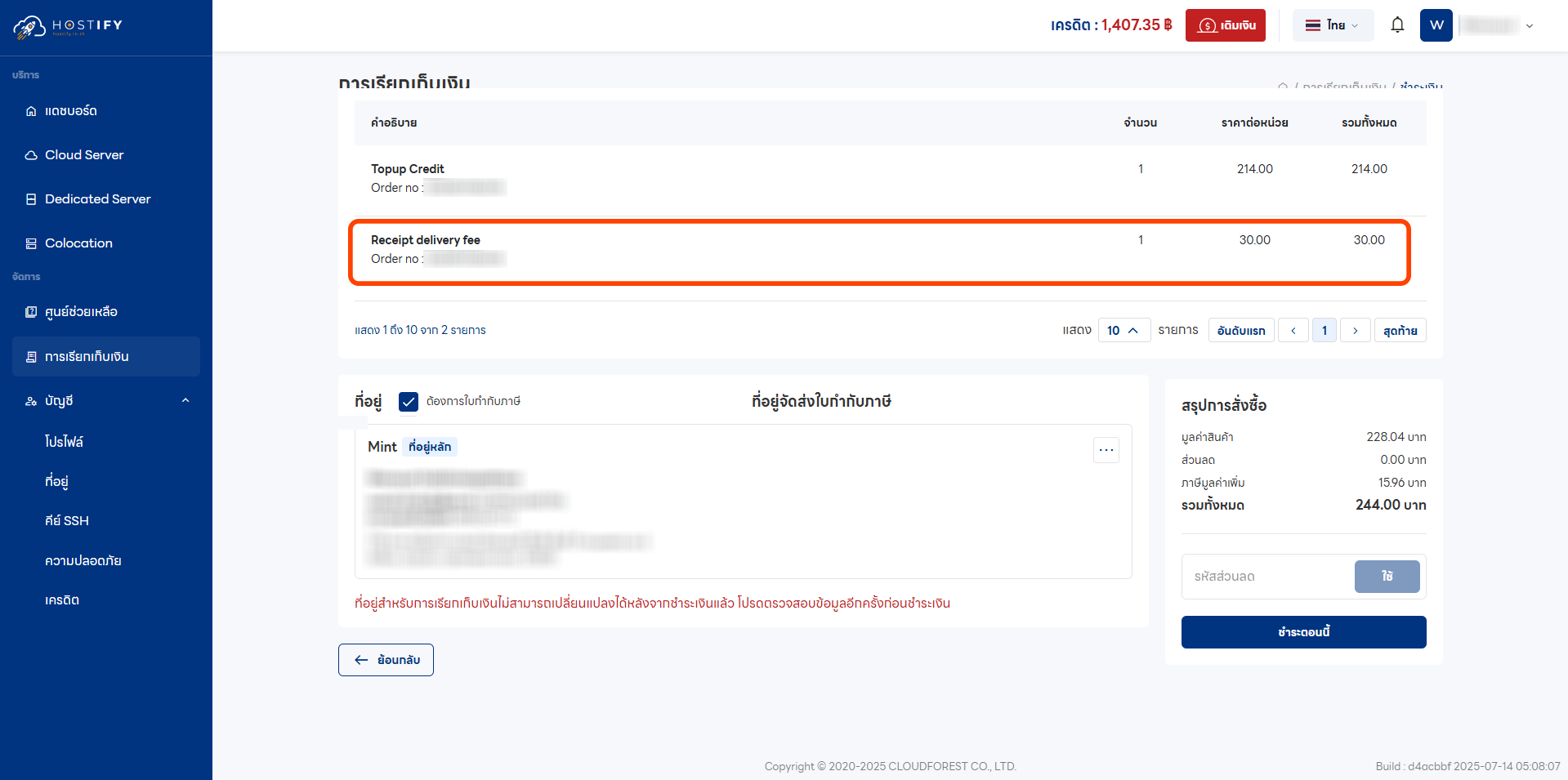
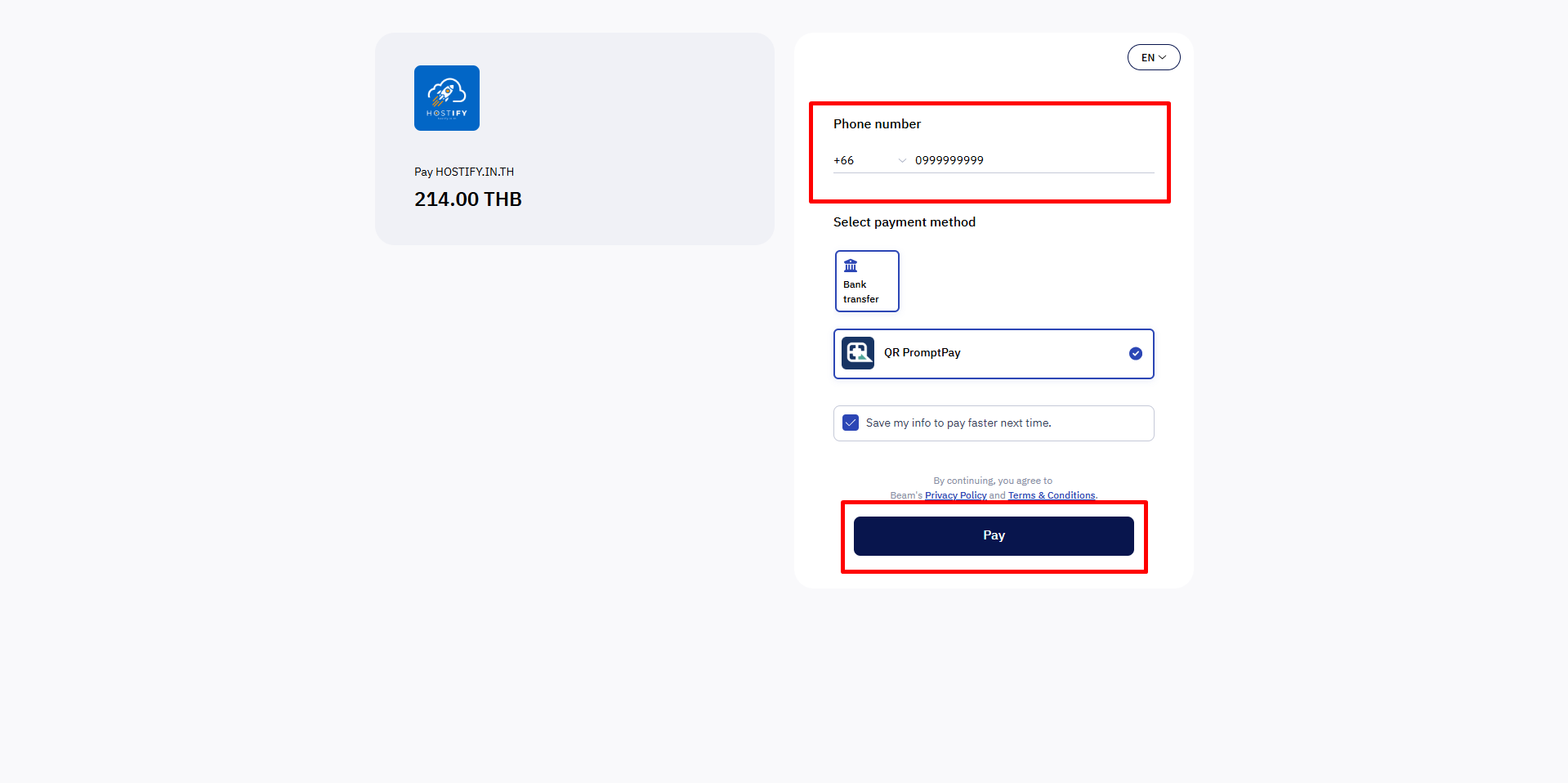
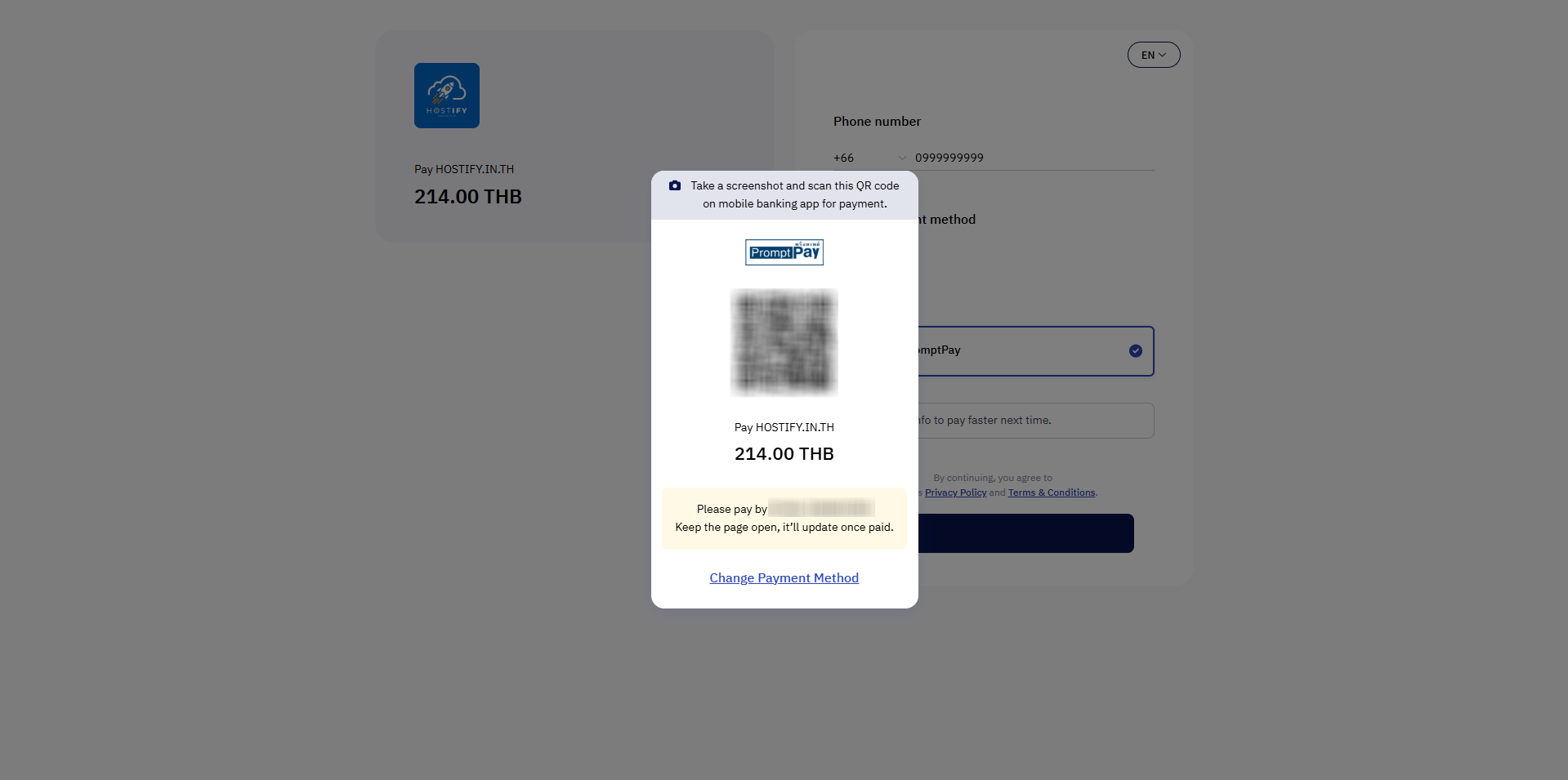
Step 5: The system will redirect you to the Payment Gateway. Corporate customers who cannot use QR PromptPay should open a Support Ticket to request an alternative payment method. Once payment is complete, the credit will appear immediately.
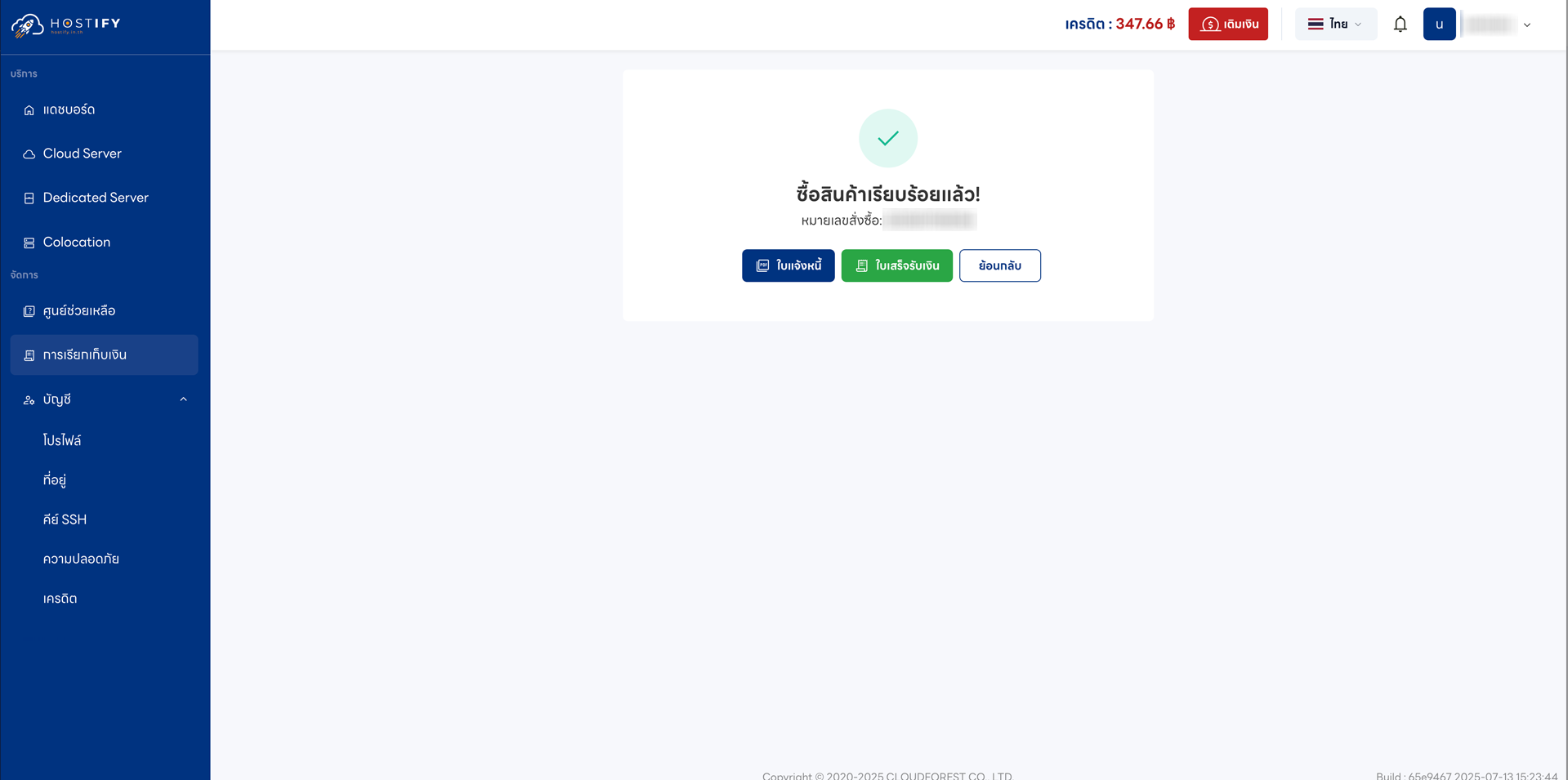
Note: For your first top-up, you must fill in your billing address first. Receipts and tax invoices will be available within 24 hours of payment.