Using Support Tickets
Step 1: Log In
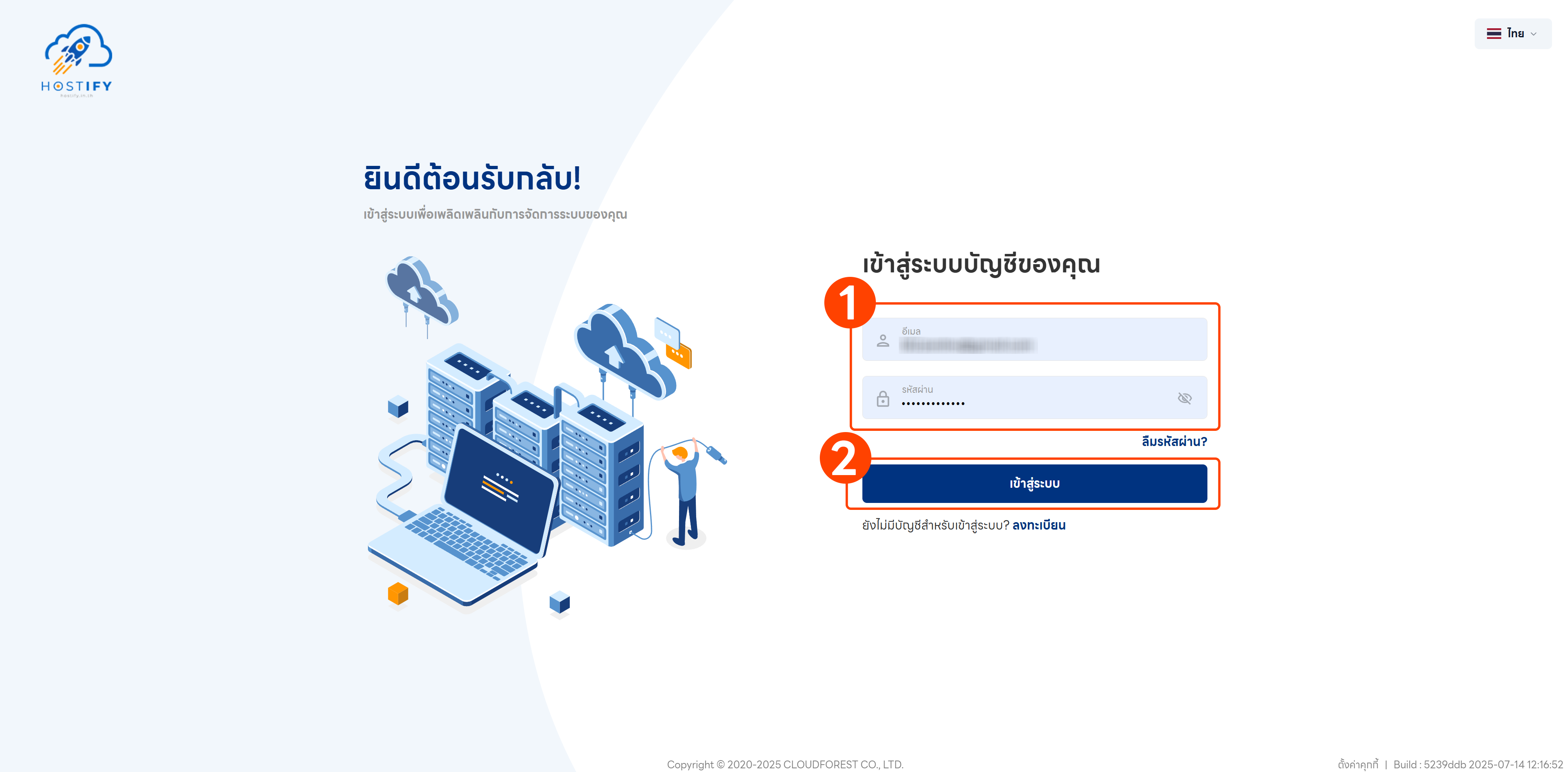
Section titled “Step 1: Log In”Log in at fleet.hostify.in.th
Step 2: Create a Support Ticket
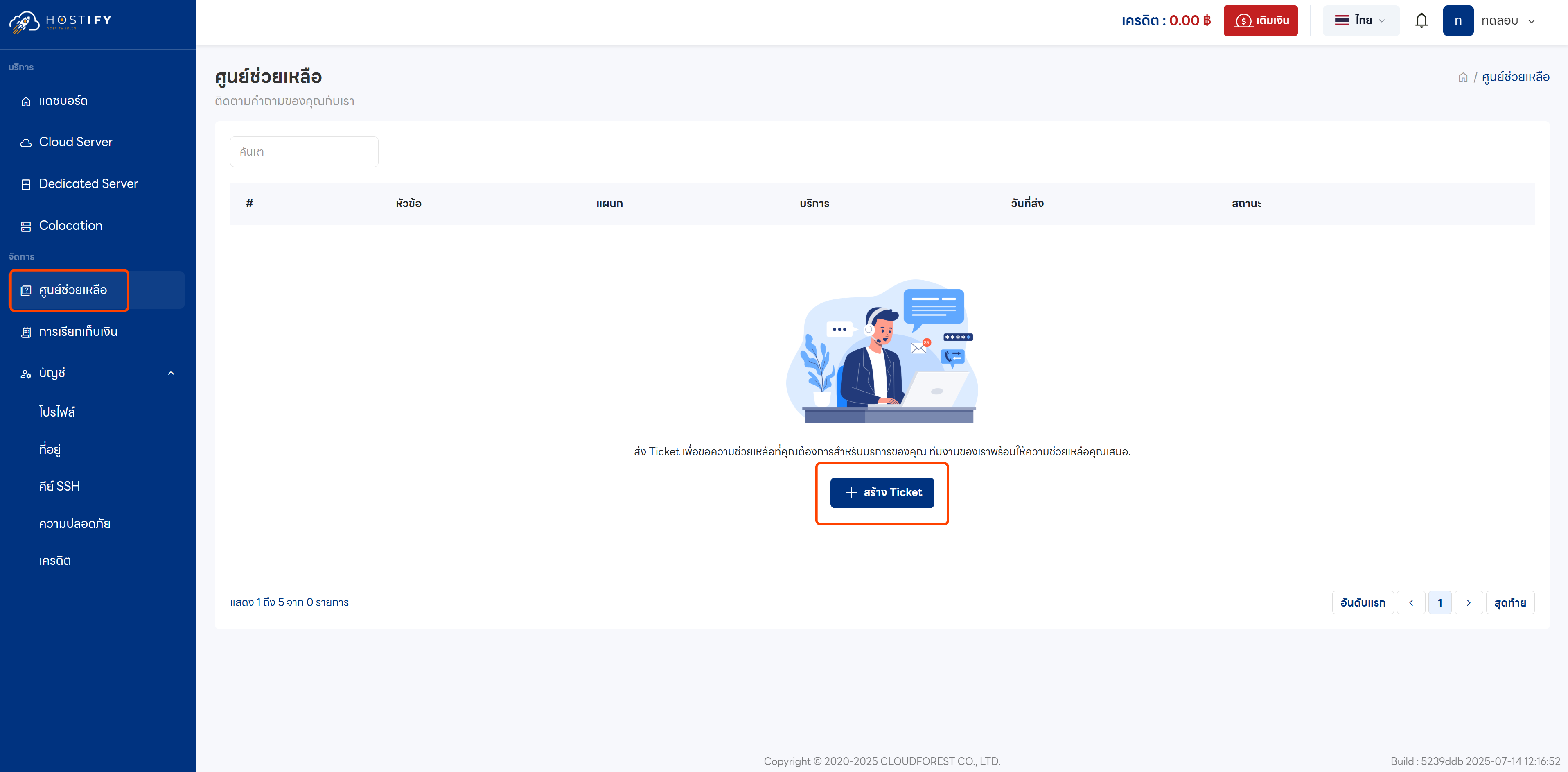
Section titled “Step 2: Create a Support Ticket”Go to the Assistance Center menu from the left sidebar and select “Create Ticket”.
Step 3: Fill In Contact Details
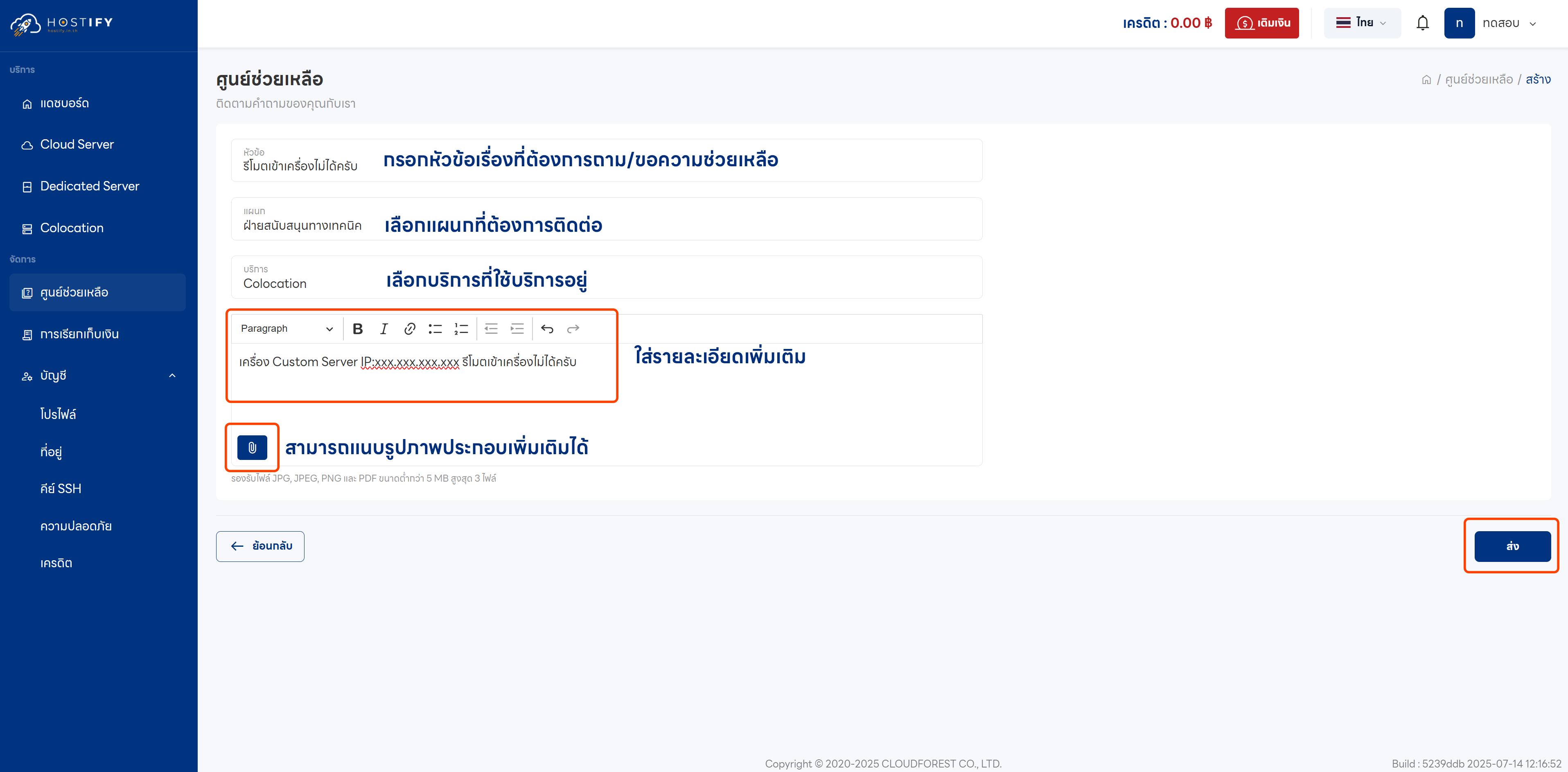
Section titled “Step 3: Fill In Contact Details”Fill in all required information, including the subject, department, service type, and additional details.
Step 4: Add Further Information
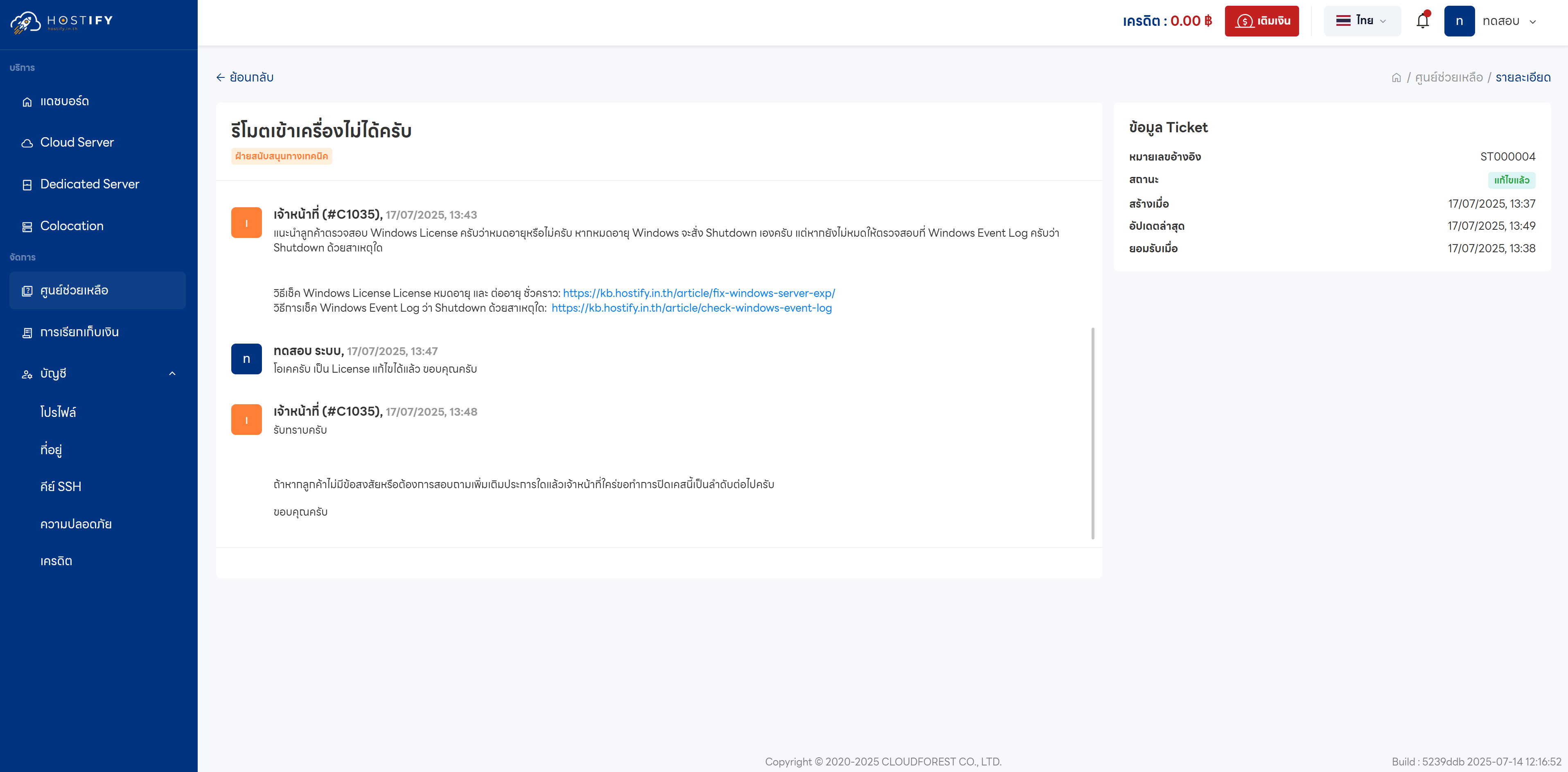
Section titled “Step 4: Add Further Information”While waiting for a response from the support team, you can “add or provide supplementary details” to help staff investigate more quickly and efficiently.
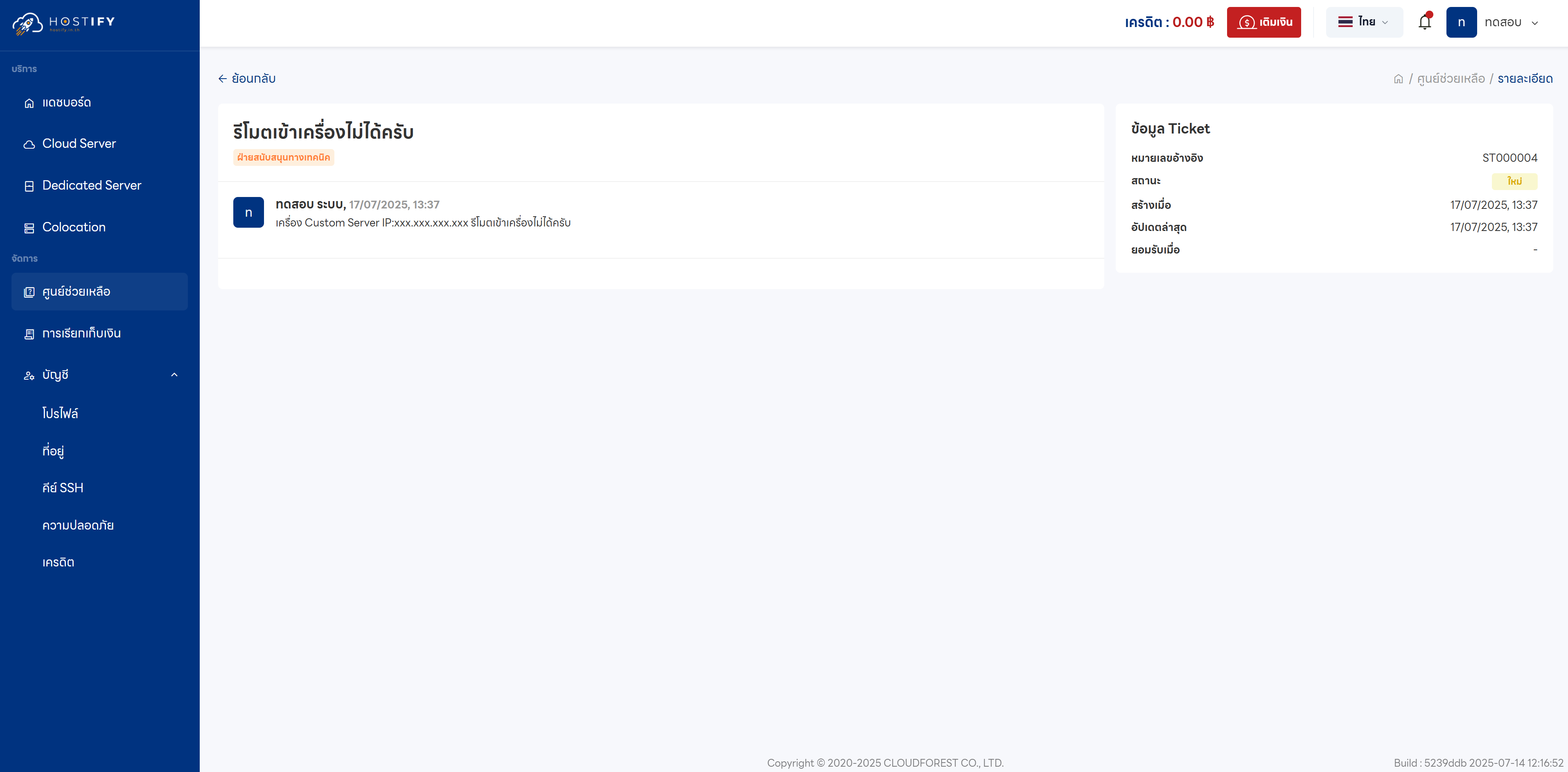
Step 5: Contact Staff Directly
Section titled “Step 5: Contact Staff Directly”If you have questions or need additional information, you can contact staff directly for further guidance and support.