How to Add a Billing Address for Receipts and Tax Invoices
Steps to Add an Address
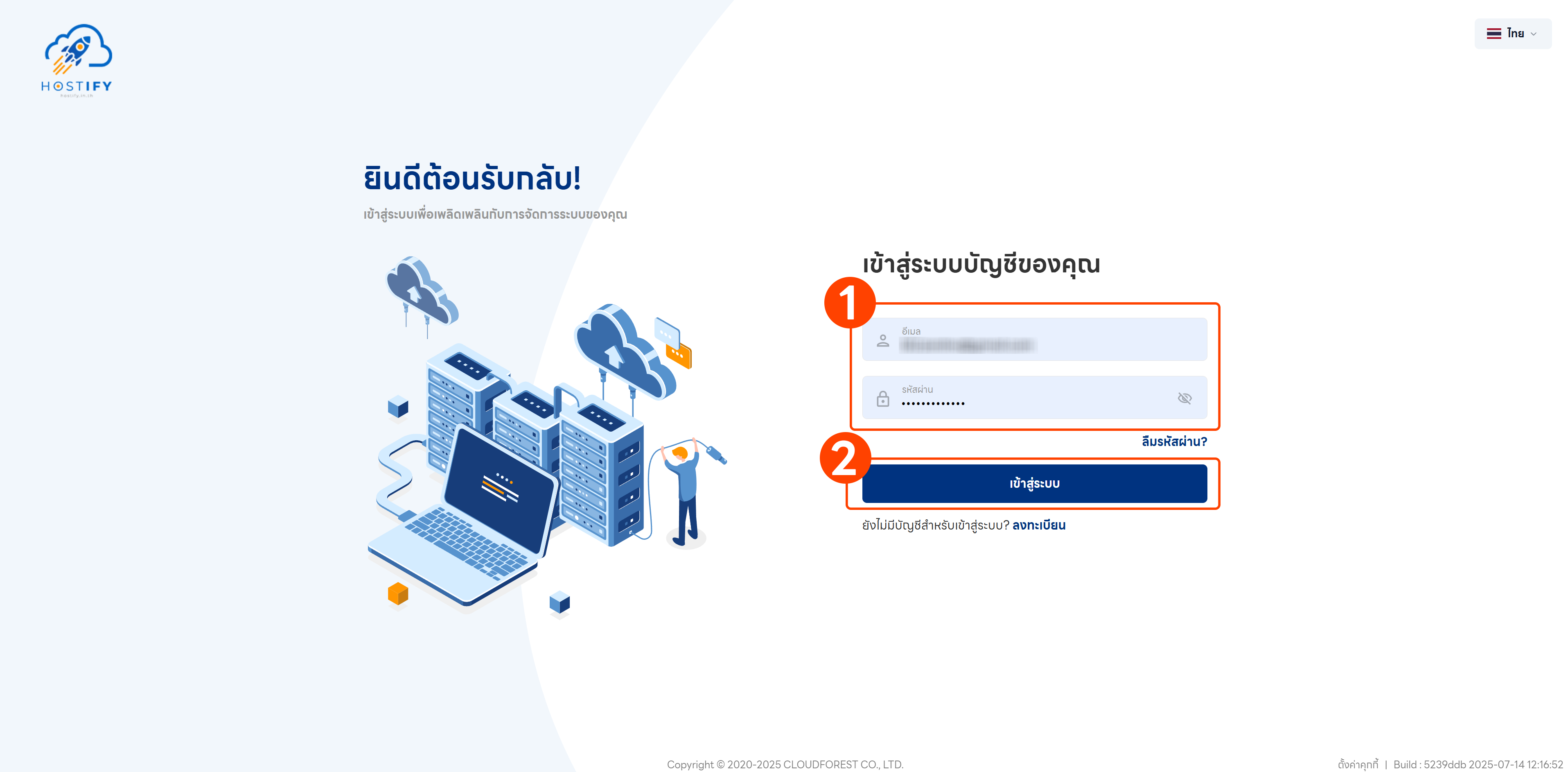
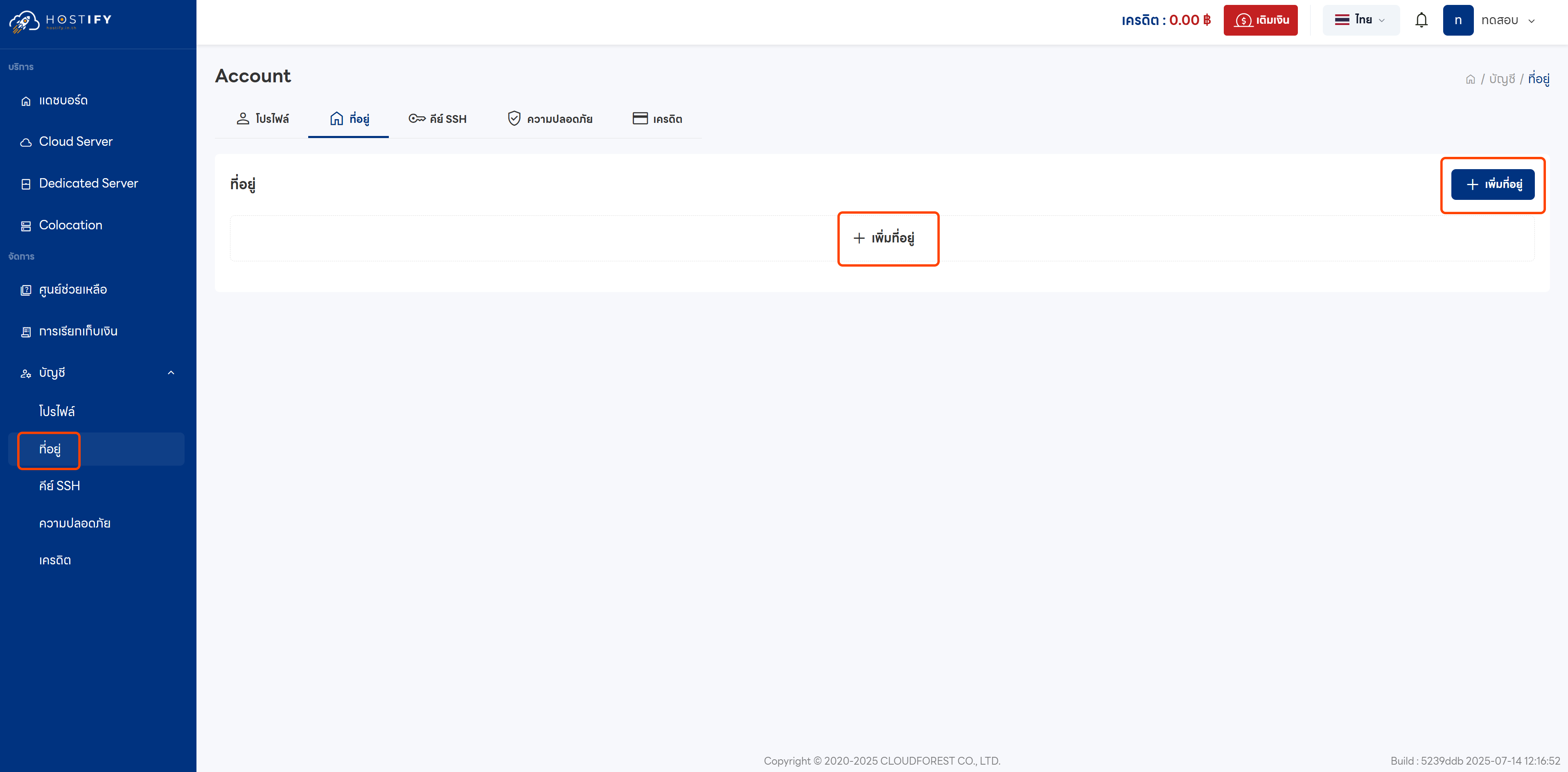
Section titled “Steps to Add an Address”Log in at fleet.hostify.in.th, then go to the Credit menu and select “Add Address”.
For Individuals
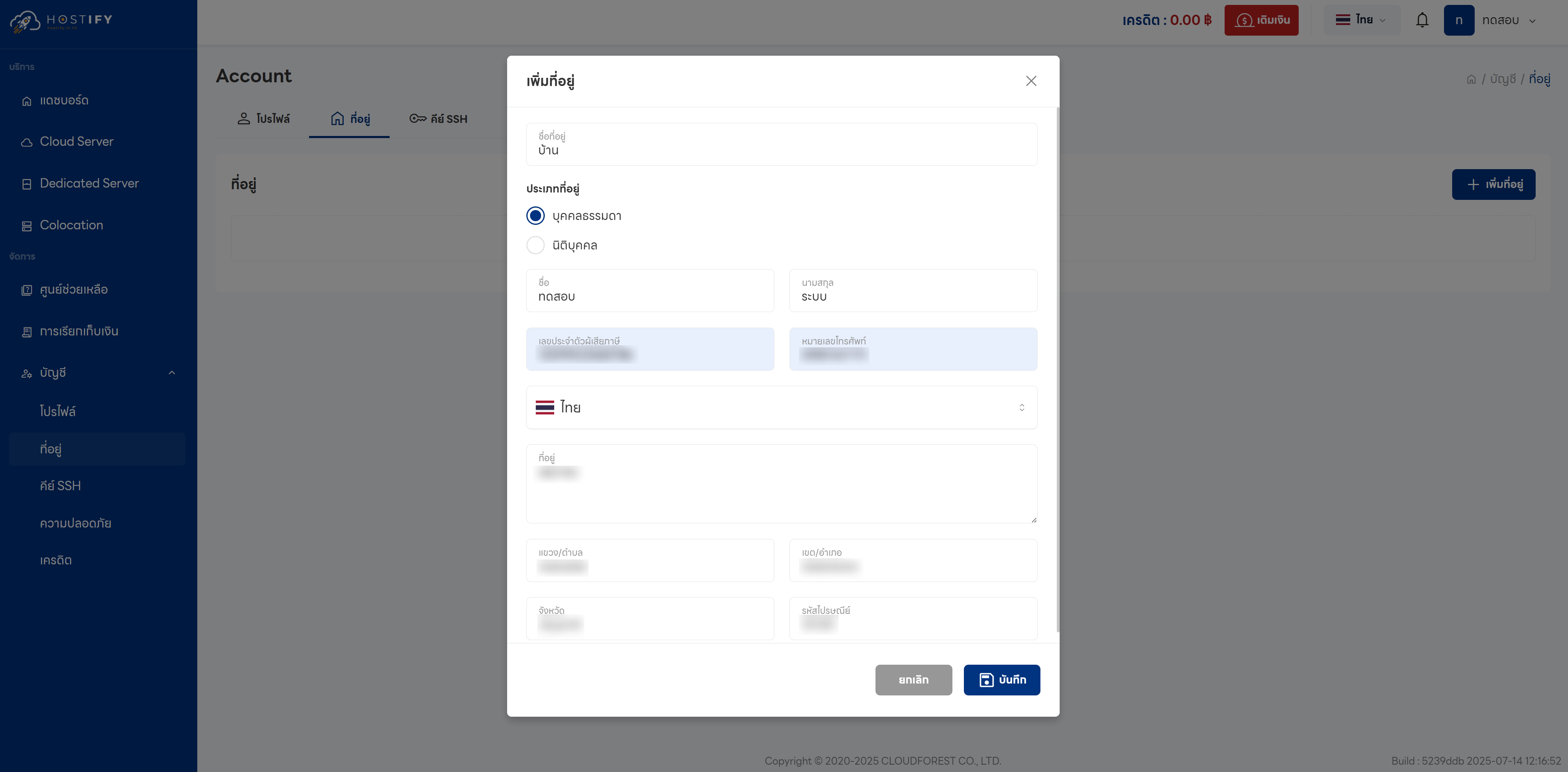
Section titled “For Individuals”Select the “Individual” type and fill in the following:
- Address name
- First and last name (as shown on ID card)
- National ID number
- Phone number
- Address as on ID card
For Juristic Persons / Companies
Section titled “For Juristic Persons / Companies”Select the “Juristic Person” type and specify whether it is the head office or a branch (if a branch, provide the branch code). Then fill in the following:
- Company name
- Tax ID number
- Phone number
- Address for tax invoice
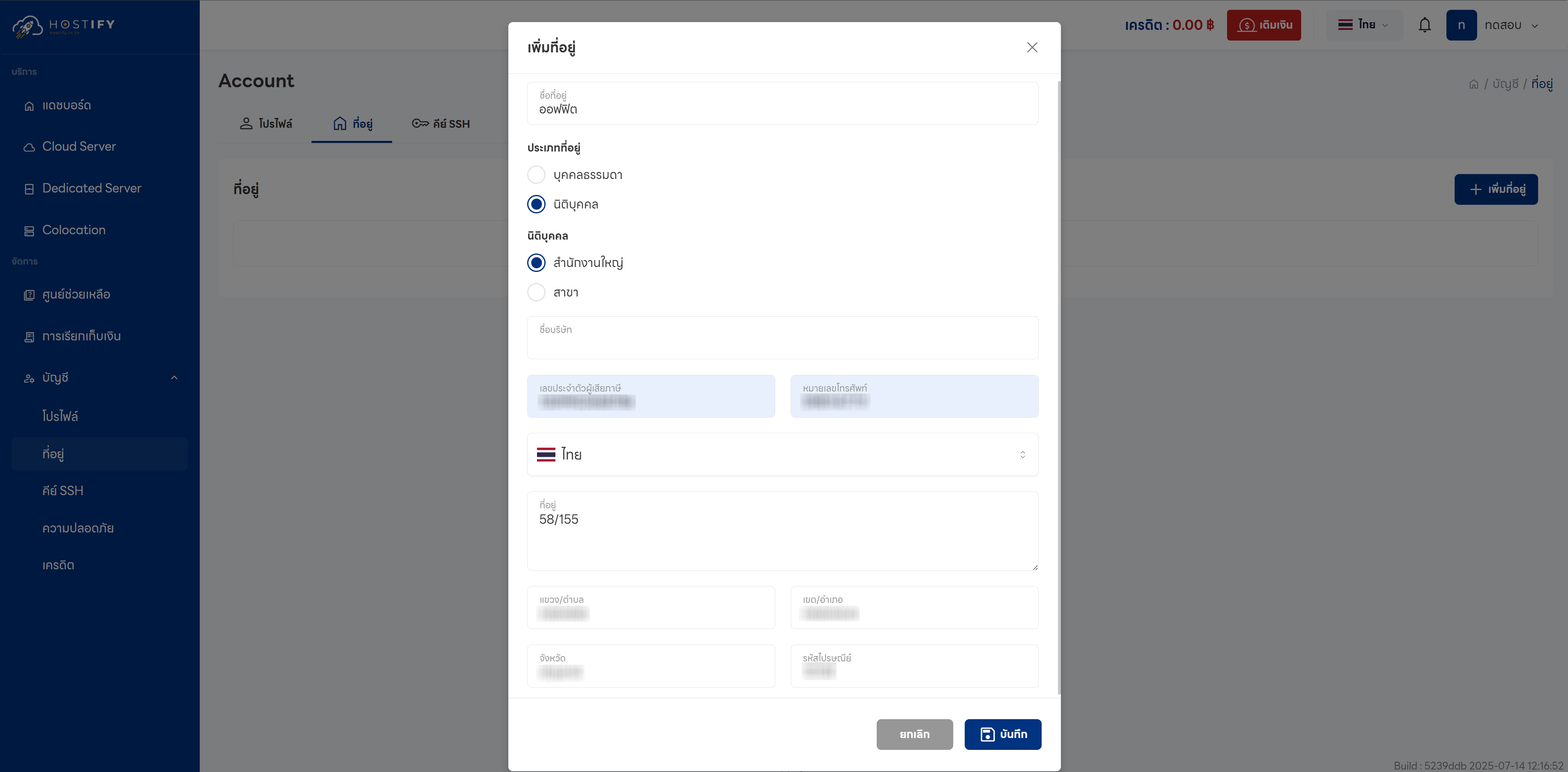
Both types require clicking Save to save the information.