วิธีการเปลี่ยนรหัสผ่าน Windows Server
รองรับ Windows Server 2008, 2012, 2016, 2019, 2022, 2025
มี 3 วิธีในการเปลี่ยนรหัสผ่าน Administrator ของ Windows Server
วิธีที่ 1: ผ่าน Control Panel
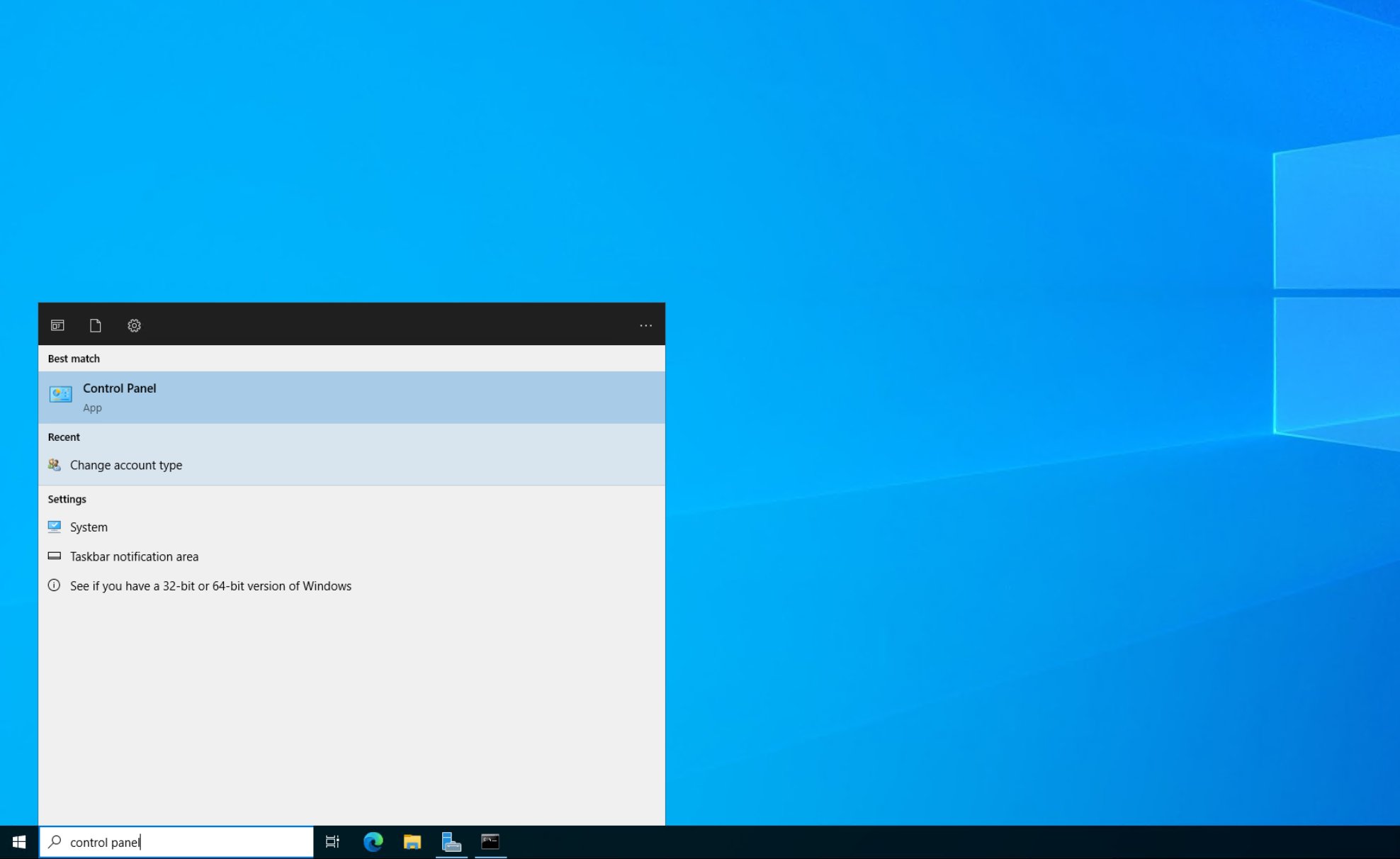
หัวข้อที่มีชื่อว่า “วิธีที่ 1: ผ่าน Control Panel”- ไปที่ Start > Search > Control Panel
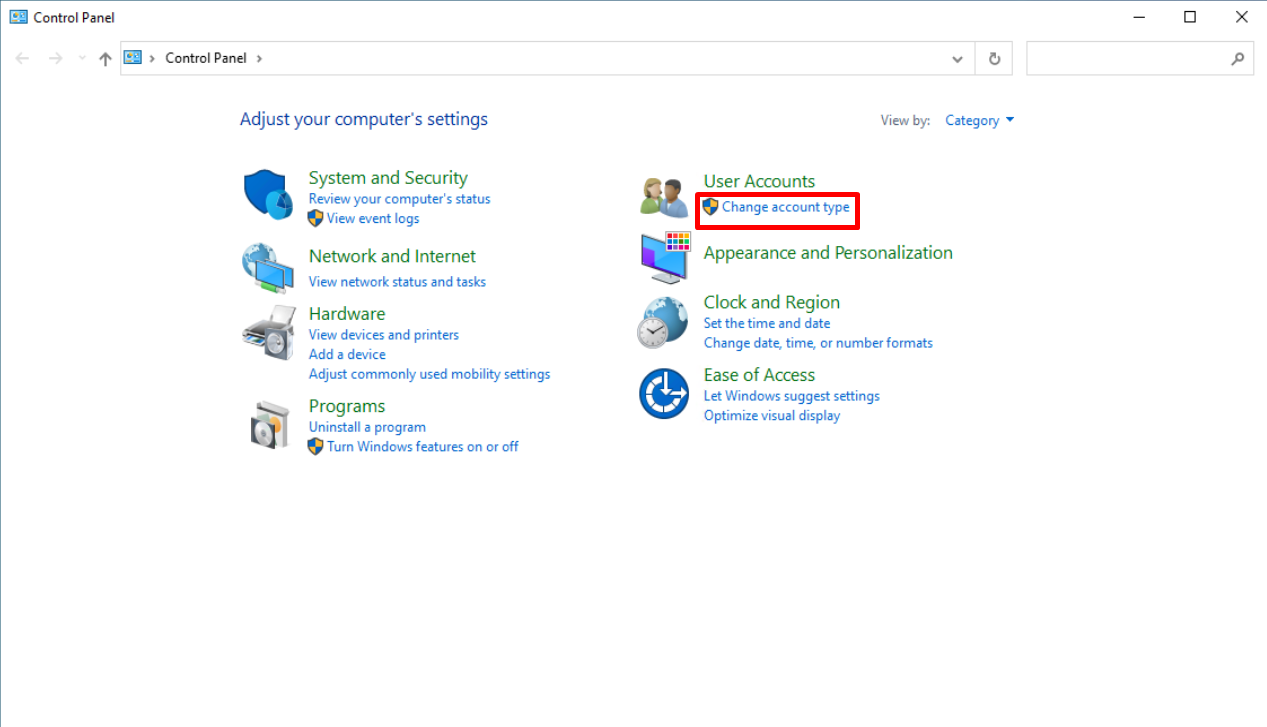
- เลือก User Accounts
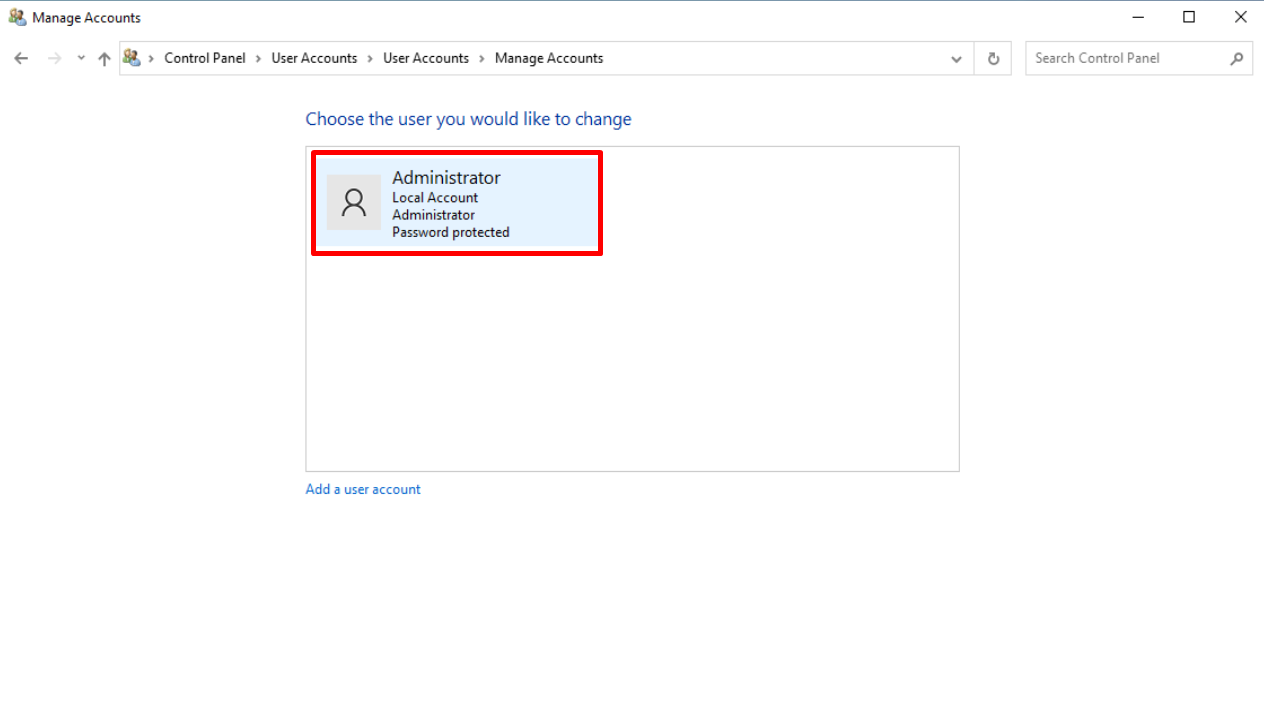
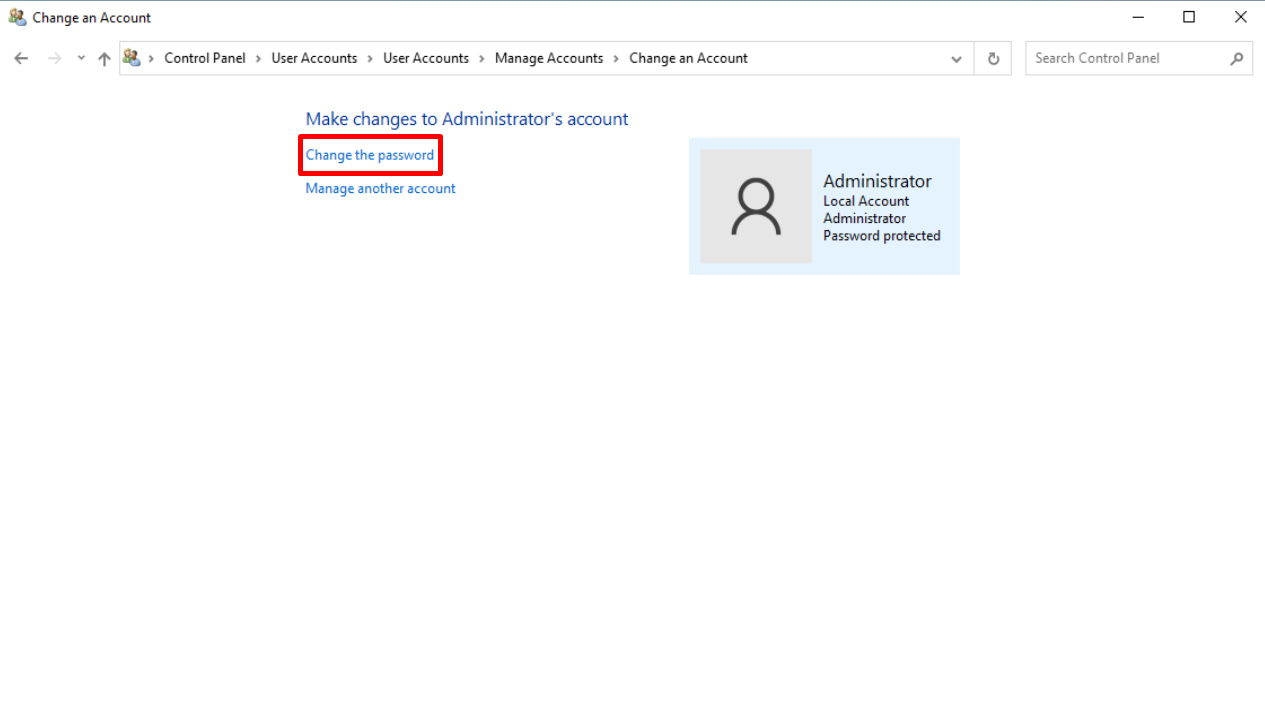
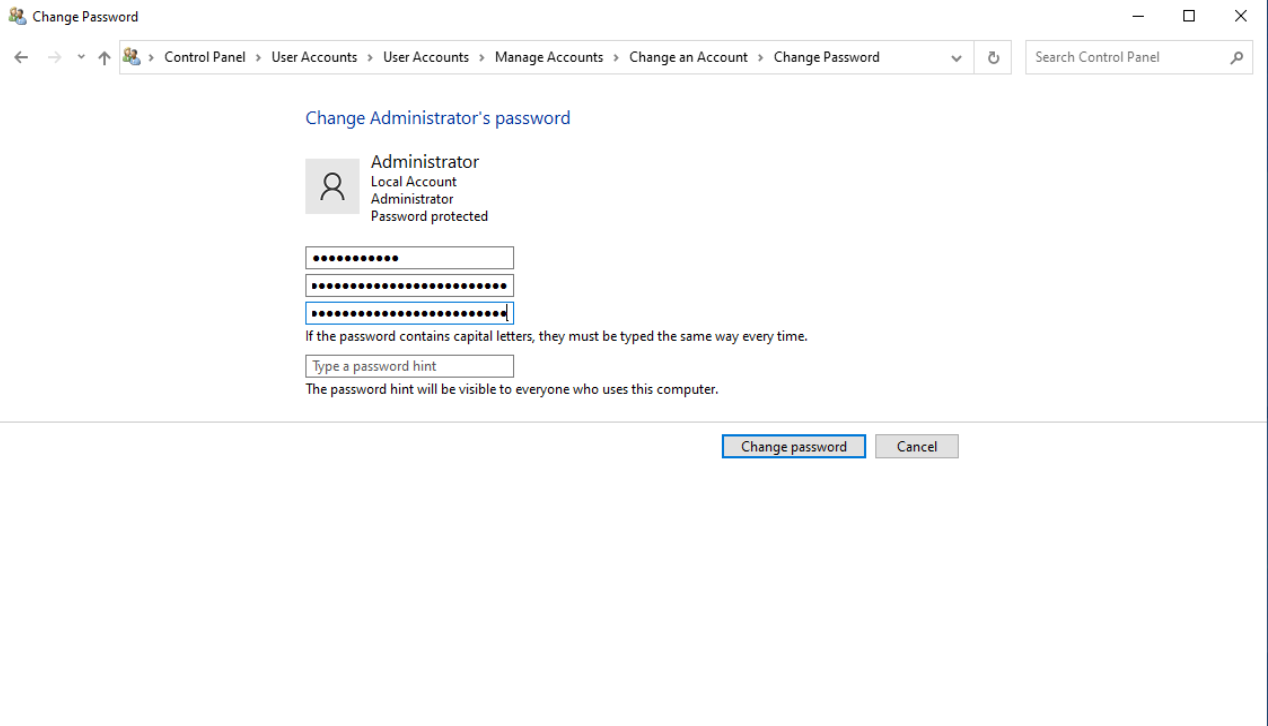
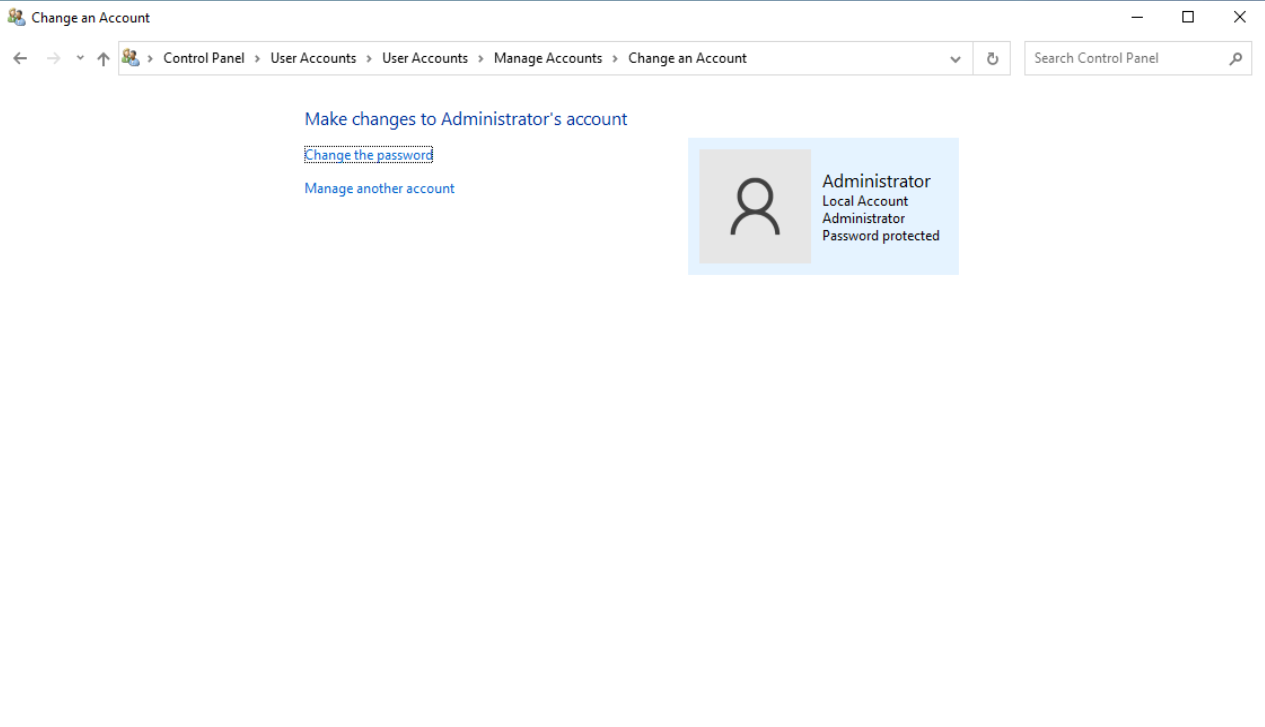
- เลือกบัญชี Administrator แล้วคลิก “Change the password”
- ใส่รหัสผ่านเดิม แล้วใส่รหัสผ่านใหม่สองครั้ง (ต้องตรงกัน) จากนั้นกด OK
วิธีที่ 2: ผ่าน Computer Management
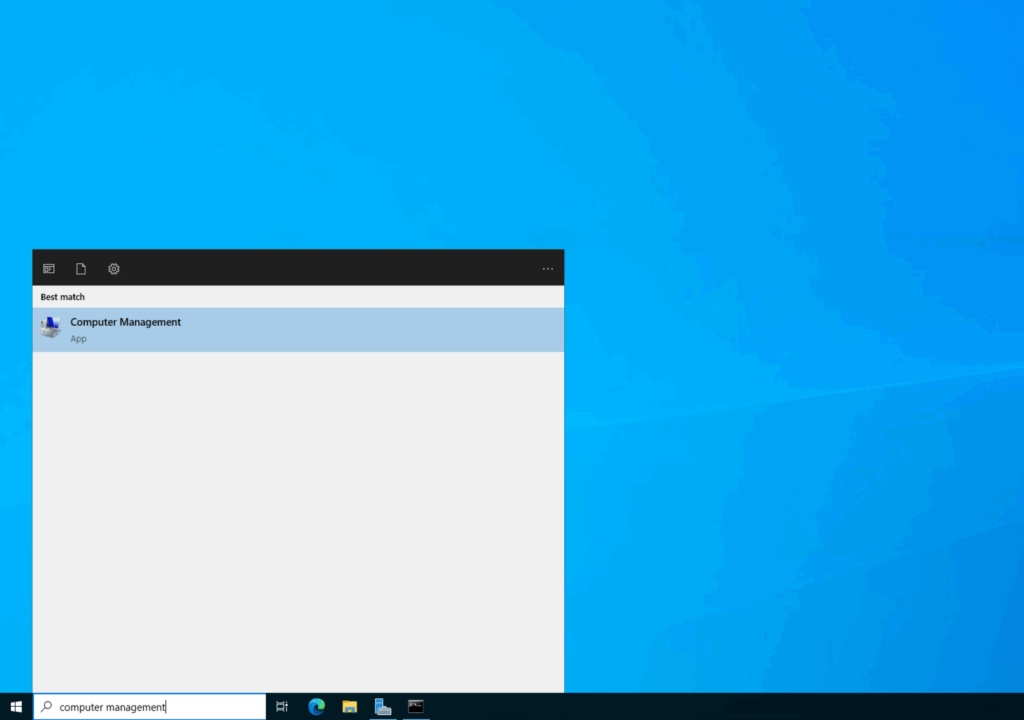
หัวข้อที่มีชื่อว่า “วิธีที่ 2: ผ่าน Computer Management”- เปิด Computer Management ผ่าน Search Box
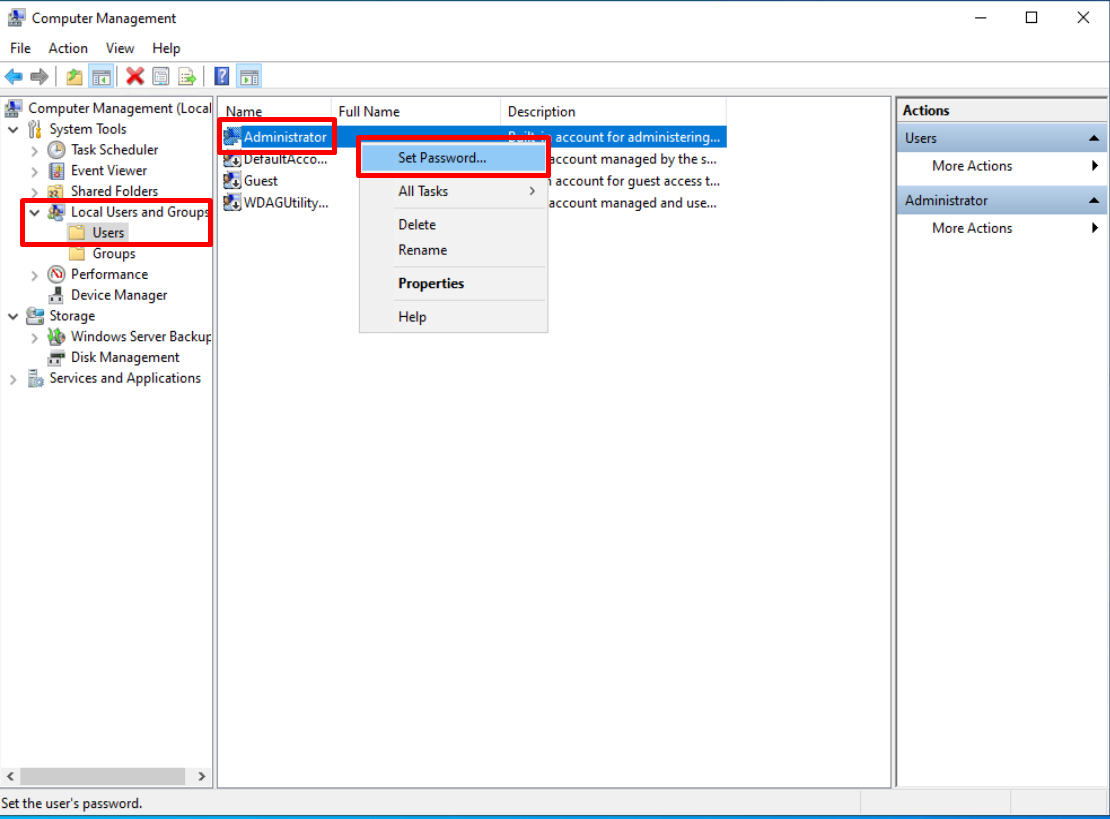
- ไปที่ Local Users and Groups แล้วคลิกขวาที่บัญชี Administrator เลือก “Set Password”
- ยืนยันการดำเนินการ แล้วใส่รหัสผ่านใหม่สองครั้ง จากนั้นกด OK
วิธีที่ 3: ผ่าน Command Prompt
หัวข้อที่มีชื่อว่า “วิธีที่ 3: ผ่าน Command Prompt”- เปิด CMD แล้วพิมพ์คำสั่ง:
แทนที่ [newpassword] ด้วยรหัสผ่านที่ต้องการ แล้วกด Enter
คำแนะนำสำหรับรหัสผ่าน
หัวข้อที่มีชื่อว่า “คำแนะนำสำหรับรหัสผ่าน”รหัสผ่านควร:
- มีความยาวอย่างน้อย 8 ตัวอักษร
- ประกอบด้วยอย่างน้อย 2 ใน 3 ประเภท: ตัวอักษร (a-z, A-Z), ตัวเลข (0-9), หรือตัวอักขระพิเศษ (!@#$%^&*()_+|~-=`{}[]:”;’<>?,. /)