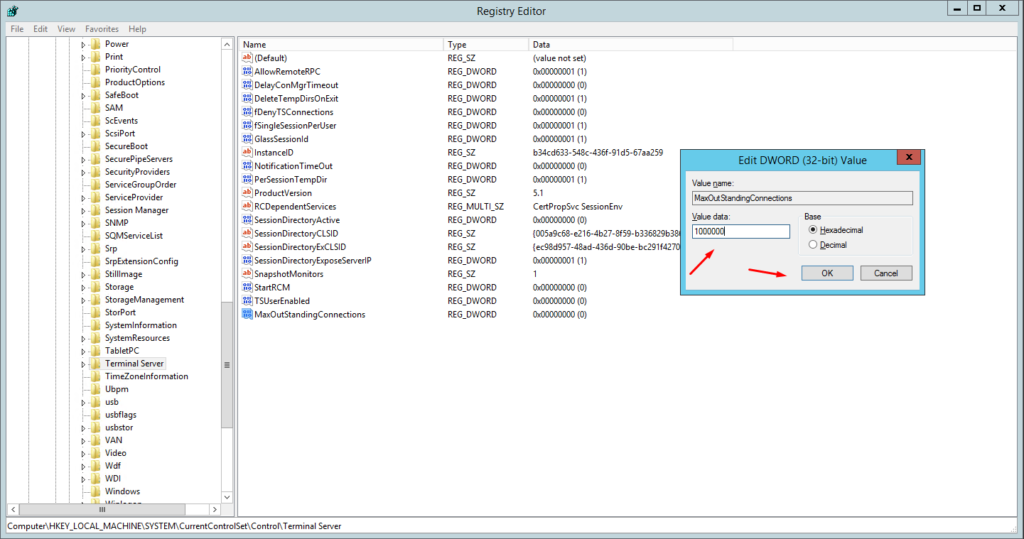
วิธีการแก้ปัญหาเข้าใช้งาน Remote Desktop ไม่ได้ Error An internal error has occurred.
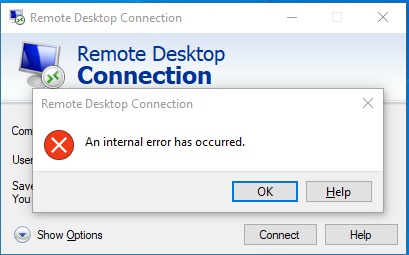
เมื่อเข้าใช้งาน Remote Desktop แล้วพบข้อความ “An internal error has occurred” สามารถแก้ไขได้โดยการแก้ไข Windows Registry
ขั้นตอนการแก้ไข
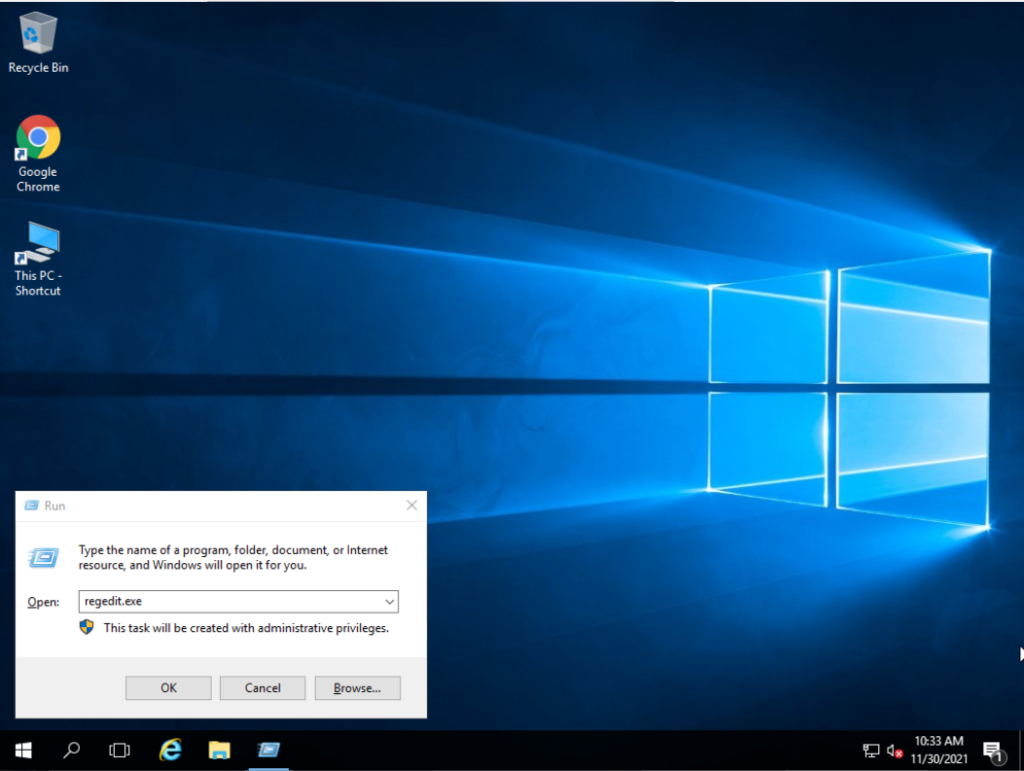
หัวข้อที่มีชื่อว่า “ขั้นตอนการแก้ไข”- กด Ctrl+R แล้วพิมพ์ “regedit.exe” ในช่อง dialog จากนั้นกด OK
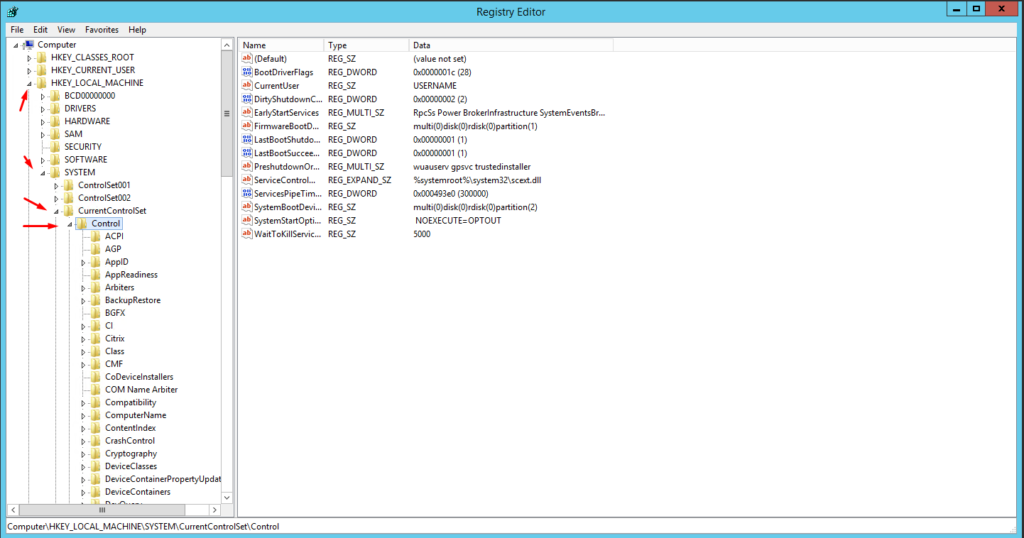
- ไปที่:
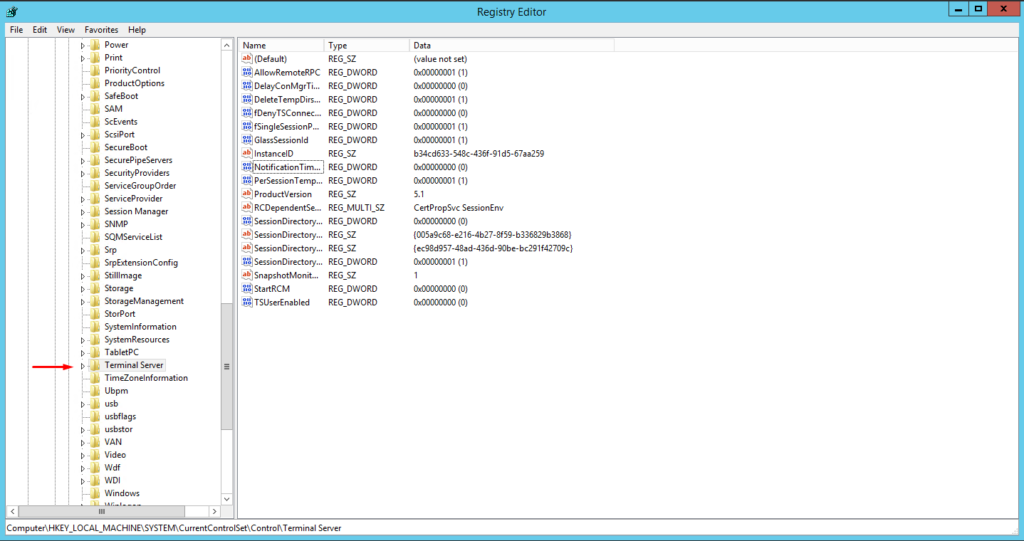
HKEY_LOCAL_MACHINE > SYSTEM > CurrentControlSet > Control
- เลื่อนลงมาหา “Terminal Server”
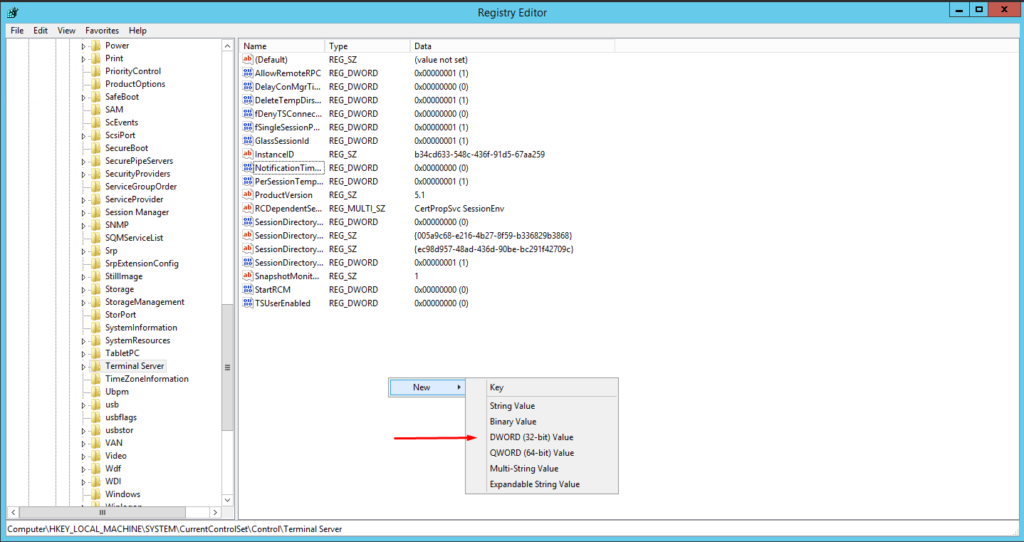
- คลิกขวาแล้วเลือก “New > DWORD (32-bit) Value”
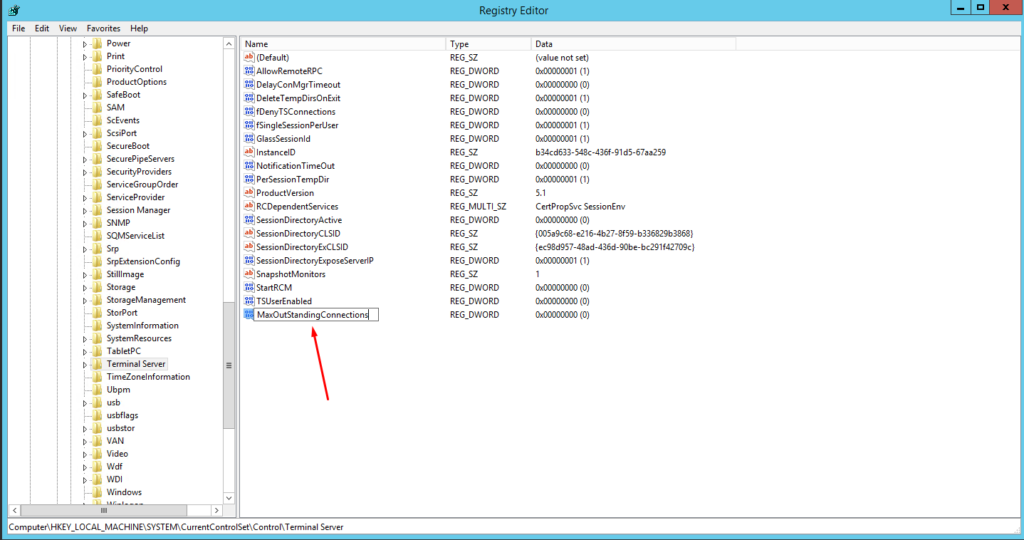
- ตั้งชื่อ entry ใหม่ว่า “MaxOutStandingConnections”
- คลิกขวาที่ entry แล้วเลือก “Modify…”
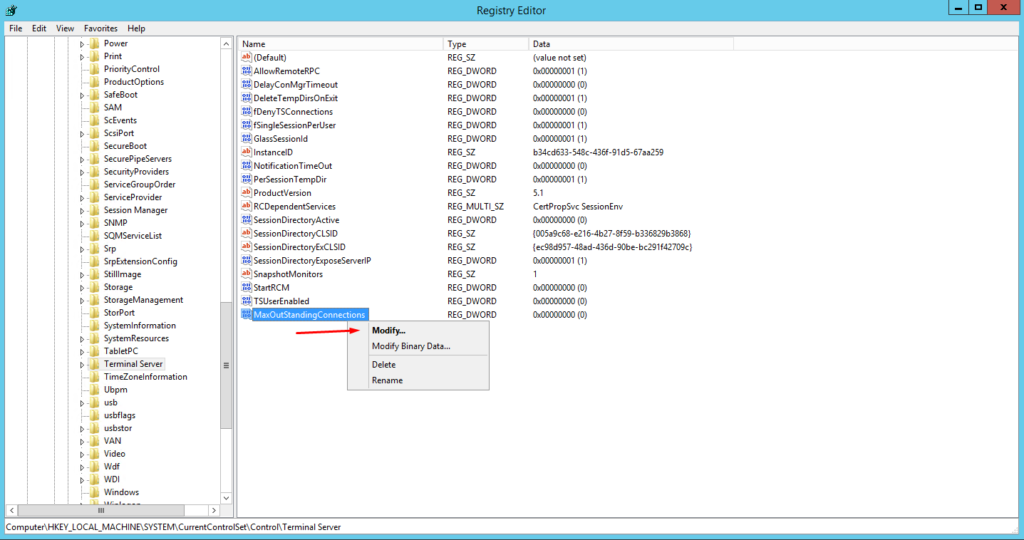
- ใส่ค่า “1000000” (หนึ่งล้าน) แล้วกด OK